Rubis is a 3D, three-phase, multi-purpose numerical modeler with an interactive, implicitly linked surface network.
It sits between simple single-cell material balance tools and full-field simulators, capturing much of the functionality of both while remaining fast and accessible.
Model building is straightforward and requires no specialist training. Geometry can be created interactively or imported from a geomodeler or another simulator.
An unstructured Voronoi grid is generated automatically, refining cells around wells to improve accuracy where it matters most.
With Rubis, the engineer focuses on the reservoir problem rather than the mechanics of running a complex simulator.
Models can be updated rapidly, forecasts and reserves evaluated, and intervention opportunities investigated.
Cell aggregation speeds processing further, and integration with other KAPPA modules is seamless.
Rubis Workflow
- Data\nProcessing
- Defining Geometry
- Reservoir Properties
- Well Properties\n& Controls
- Gridding & Simulation
PetrelTM plugin
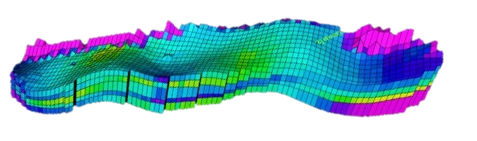
The Petrel plugin is a two way transfer tool to Rubis directly from Petrel. This offers the advantage of circumventing the need to build a geological model from scratch. In addition to petrophysical properties which are loaded as datasets; well trajectories, completions, fractures can be directly imported. It is recommended to upscale in Petrel. Rubis will then automatically create its own unstructured Voronoi grid.
EclipseTM GRDECL import
In addition to the Petrel plugin, the grid can also be exported from any simulator using the GRDECL or CMG format and imported directly into Rubis.
PVT
Internal correlations can be used and tuned to match measured values. PVT tables can also be directly loaded. In the PVT definition, the Rubis numerical solver is compositional but the PVT used could be black oil or modified black oil. The Rs and rs relations are turned into a converted composition ratio, providing the grounds for a compositional formulation. For condensate definition, the ability to load black oil exports from PVT packages, and the ability to read EclipseTM compositional PVT is also an available option.
Contour and faults
Rubis can import simple image files which are then traced with the contour geometry and the fault locations.
Defining the layers
The user defines the areal perimeter of the reservoir and the number of geological layers. The layer volumes can be defined by importing horizons and thickness fields or by simply 'picking' these points from the image files on the fly. Interpolated values are used between points.
Defining regions
Multiple regions can be defined interactively on the map. Properties can be defined per region, or for more complex cases, property maps can be used.
Petrophysical
Petrophysical properties such as non-Darcy flow, double porosity, vertical and horizontal anisotropy, varying compositional gradient may be explicitly defined. Each segment of the reservoir boundary can be set individually to sealing, constant pressure or connected to various types of aquifers.
Initial state
The initial state and potential fluid contacts may be defined by layer or region or a combination of both.
Rel-perm & Pc data
Relative permeability and capillary pressure (Pc) information can be input as values. Interactive plots show the relative permeability and Pc data and can be adjusted by simple drag and drop. The plots showing data input is a valuable QC tool to rectify any data inconsistency before running a simulation.
Well types
Vertical, horizontal, slanted, hydraulic fractured and multifractured horizontal wells can be defined in Rubis. In addition, the complex well can follow any trajectory and cross any stratigraphy. A family of multiple vertical wells can be created on the fly based only on well co-ordinates and well names. Perforations may be defined by completion skin, rate dependent skin and opening and closing times.
Well controls
For history matching purposes, real-time well pressure and rate data can be seamlessly transferred to Rubis and dynamically updated from KAPPA-Server, the client-server solution that establishes real-time links with intelligent fields and third party databases. Additional constraints can also be defined for abandonment conditions for wells and individual perforations.
Lift curves
The wellbore model can be coupled with options including classical empirical, mechanistic and drift flux models, with the complete well trajectory defined from surface. In addition, lift curves imported from ProsperTM in EclipseTM format can be used for the well intake definition.
Unstructured grid
The unstructured Voronoi numerical model is common to Saphir, Topaze and Rubis, only the local grid refinement around the wells will be different. The grid forms automatically and with the minimum number of cells for faster simulations. Automatic grid setting may be modified for specific studies such as coning. The user can also override the default time range, solver settings, list of output results and frequency of simulation restarts. The pressure and saturation fields are initialized, and the individual well indices are calibrated from a hidden PTA grid. The simulation is then started and could be paused at any time.
Output visualizations
Individual well production and pressures, together with reservoir statistical information are displayed in a dedicated vs time plot and updated in real time during the simulation. In addition, simulated layer rates for each well, global production, average pressure, remaining fluids in place, and recovery factors in individual regions, layers or property sets can also be visualized.
Static fields such as permeability, porosity and dynamic fields, such as pressures and saturations can be displayed in vertical and/or horizontal cross-section.
Well logs
A simulated production log per well, showing the contribution by phase and zone is generated and time stepped in playback mode. Reference logs showing the well schematic and deviation survey loaded for each well is displayed with the simulation results.