Page 38 - Emeraude 2.60 Tutorial
Basic HTML Version


Emeraude v2.60 – Doc v2.60.01 - © KAPPA 1988-2010
Guided Interpretation #1
•
B01 - 36/38
B01.15
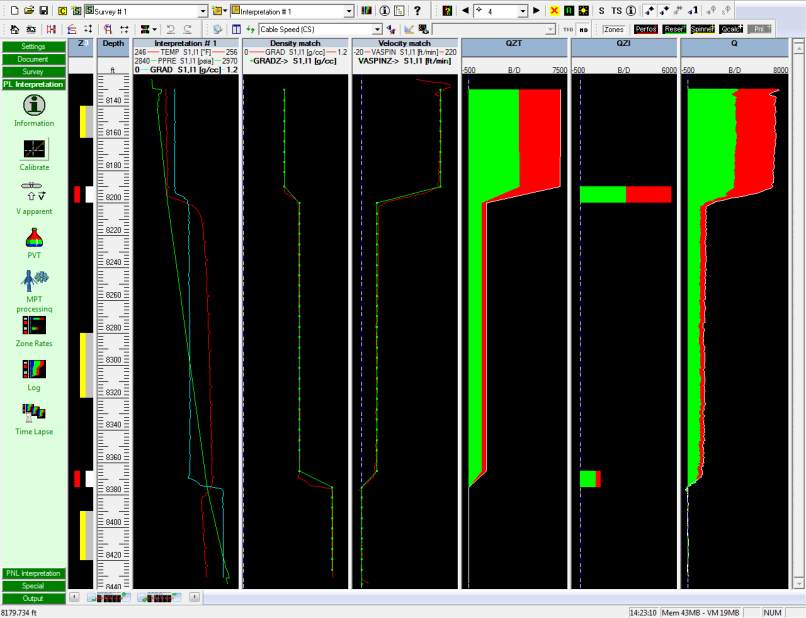
• Generating a complete rate log
Return to the ‘Log’ option and this time select only ‘Complete’.
Fig. B01.45 • Complete log calculated
Proceed to capture the current screen by clicking on the button
.
The screen can be called ‘Final’
for instance. You can now switch between the original data and
the final data by clicking on and choosing the screen capture in the list.
B01.16
• Outputs
Move to the ‘Output’ page of the control panel.
There are 5 possible types of outputs in Emeraude: Log, Report, Summary table, Export and
MSWord report.
Log
The Log printout shows by default the plots present on the screen when the option is called.
The Log output can be checked with the corresponding Preview option. Note that fonts,
margins, lines, and the type of output can be changed in the ‘Setup’ and the ‘Display’ options
of ‘Preview’. In the Setup dialog one can also create API layout that can be recalled at any
later stage (see the on-line help in the Print Setup dialog). The log output is made by default
to the installed printer drivers. Note that a CGM, or TIFF output can also be generated with the
last option of the output panel (
the CGM output option is not part of the standard distribution
).

