Page 40 - Emeraude 2.60 Tutorial
Basic HTML Version
Emeraude v2.60 – Doc v2.60.01 - © KAPPA 1988-2010
Guided Interpretation #1
•
B01 - 38/38
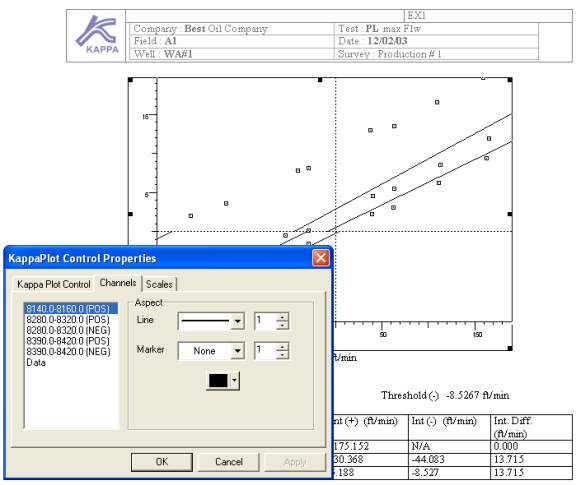
Fig. B01.46 • KAPPA Plot Control Properties
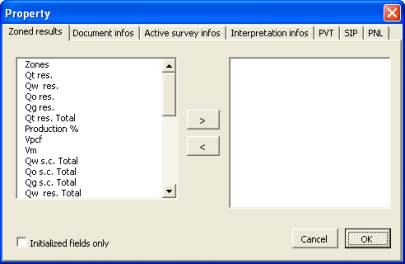
The third icon of the Emeraude toolbar inside
the Word document gives access to the dialog
opposite.
With this dialog you can define entirely the
types of results that you want to see in your
report.
Fig. B01.47 • Property dialog
Save and Quit Emeraude.
This completes Guided Session #1. KAPPA software is designed to be highly intuitive and
therefore we recommend that you run this session again on your own in order to become more
familiar with the options. Try and refer to this documentation only when you are stuck.
Running your own simple data set at this stage is also recommended.
We would advise you to get familiar with the facilities demonstrated in this guided session
before moving to the Guided Session #2, where you will be trained on adding new mnemonics,
handling multiple surveys, multiple interpretations, and comparing shut-in and flowing
surveys.

