Page 150 - Emeraude 2.60 Tutorial
Basic HTML Version


Emeraude v2.60 – Doc v2.60.01 - © KAPPA 1988-2010
Guided Interpretation #8 • B08 - 6/25
B08.2.1 • PSP basic sensors
Invoke templates with
.
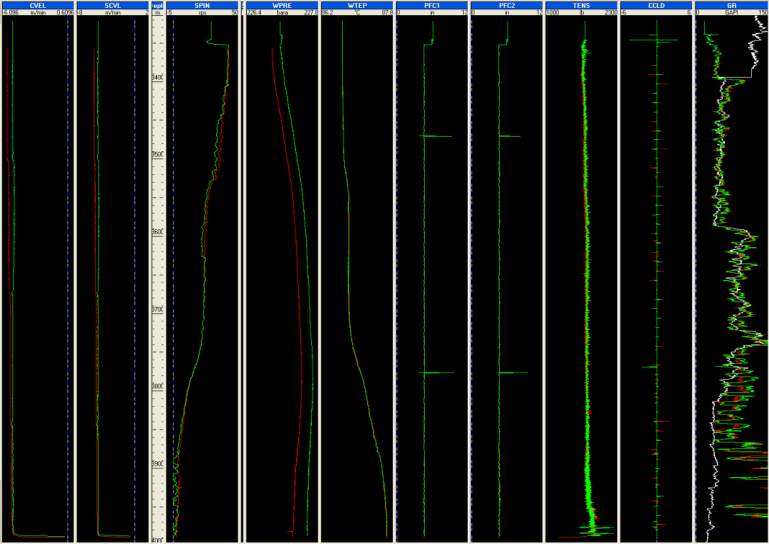
In Full layouts, choose PSP Basic Sensors template (keep all defaults).
All sensor readings seem OK, except for spikes on PFC1 and PFC2: they can be cleaned with the
‘Hide parts’ or ‘Delete parts’ options in the browser.
Fig. B08.8 • PSP basic sensors display
Click twice on the PFC1 track header to expand the view.
Use the ‘Nearest curve’ button
and click close to pass Up2.
The browser opens with the curve highlighted. Select ‘Hide parts’.
Click and drag in the PFC1 track with the left mouse button in order to select the area of the
curve to hide: from 3460 m to the very bottom depth.
When the mouse button is released, the following window pops up.

