Page 163 - Emeraude 2.60 Tutorial
Basic HTML Version

Emeraude v2.60 – Doc v2.60.01 - © KAPPA 1988-2010
Guided Interpretation #8 • B08 - 19/25
Be sure that you saved the Processing snapshot.
Recall the snapshot ‘Optical probe view’.
In the display toolbar, you can display raw vs reconstructed channels, or the errors, using the
display options
. Select the error display option.
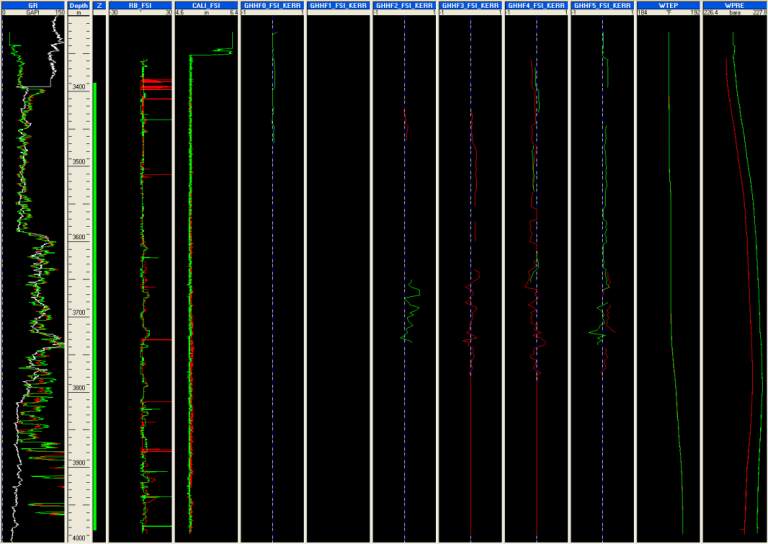
Below is the view of the errors for the GHHF probes.
Fig. B08.24 • Optical probes errors display
The GHHF1_FSI_KERR track is empty as the probe was ignored, therefore the error between raw
and reconstructed could not be calculated. There is a slight error on the other probes as already
noticed on the global error view, also visible on raw vs reconstructed display mode.
Finally we can recall the Vapps snapshot.
Display the reconstructed vs raw.
The reconstructed channels appear in dashed lines (see below). As noticed earlier, there is no
difference.

