Page 164 - Emeraude 2.60 Tutorial
Basic HTML Version
Emeraude v2.60 – Doc v2.60.01 - © KAPPA 1988-2010
Guided Interpretation #8 • B08 - 20/25
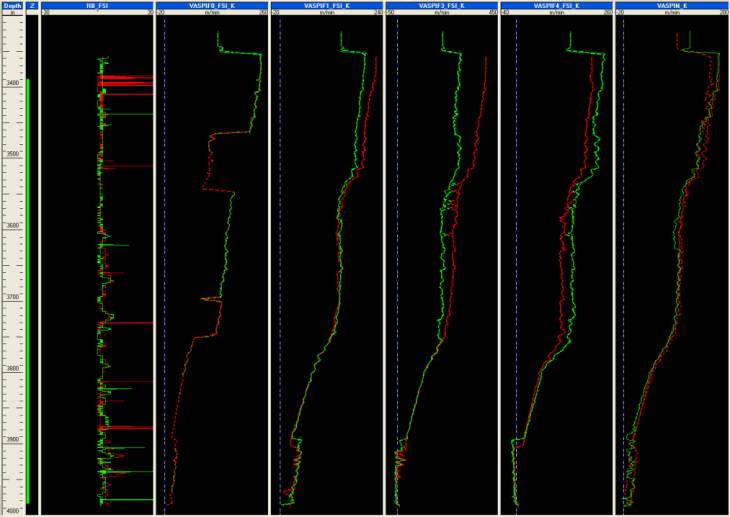
Fig. B08.25 • Apparent velocities: reconstructed vs raw
Another thing we can do is to build image views for reconstructed channels and compare those
with the raw ones.
Empty the screen (keep only the depth track).
Recall the Holdup image view for pass Up1 (‘Holdups Fl, U1’).
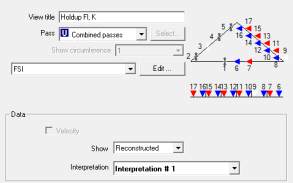
Select the browser option to create a new Image view. As a Combined passes MPT processing
was run for the FSI tool in current interpretation, the property dialog offers by default
Combined passes and ‘Reconstructed’. Call it ‘Holdup Fl, K’ and press OK.
Fig. B08.26 • Image view dialog
As noticed earlier, the image view displays the holdups predicted by the 2Dmodel for a FSI tool
vertically centered in the pipe (e.g with no bearing). These data are visible in the reconstructed

