Navigating your Kubernetes Cluster (via OpenLens)
For the purpose of this help page, we are going to be demonstrating with OpenLens. Operators can visually monitor these tasks—such as real-time CPU/memory usage, pod health, and rollout progress. Depending on your organization’s policies, tools such as Lens, Kubectl and K9S are recommended.
OpenLens provides an intuitive GUI for exploring all these components, viewing logs, debugging workloads, applying YAML manifests, and checking cluster health. This is particularly useful for quickly diagnosing issues or validating deployments in KAPPA-Automate.
Using OpenLens, you will be able to navigate through and manage all components of your KAPPA-Automate cluster from a single, intuitive interface. This enables you to monitor cluster resources in real time, inspect and troubleshoot workloads, review logs and events, and gain a comprehensive understanding of the health, performance, and overall operation of the cluster.
From the left-hand side panel, you will be able to navigate and view your Nodes, Pods, Containers, StatefulSets, Persistent Volumes (PVs) and Persistent Volume Claims (PVCs).
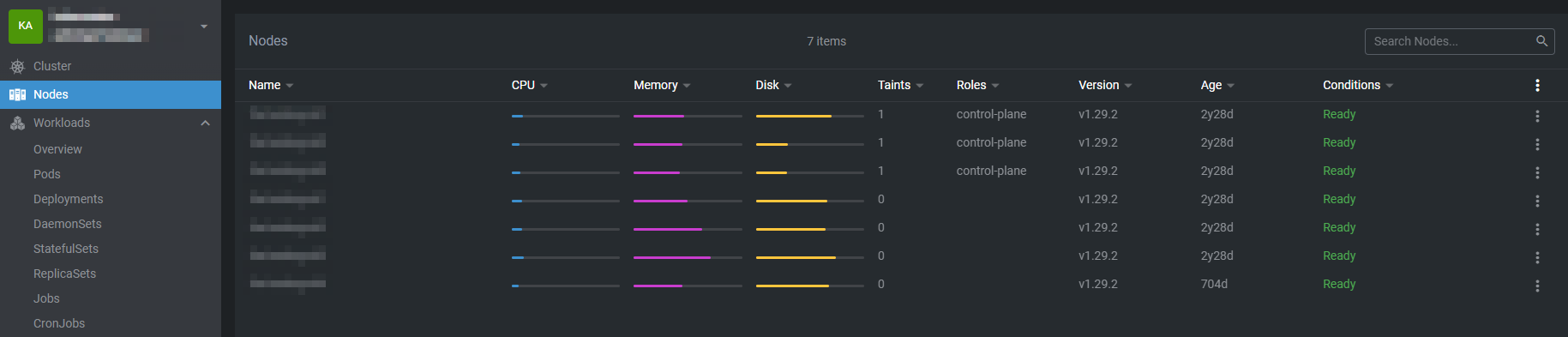
Nodes
A node is a worker machine that runs the actual applications and workloads defined by the cluster. Each node can be a physical server or a virtual machine, and it is responsible for hosting containers that are grouped into pods. While the Kubernetes control plane decides what should run and where, nodes are the components that carry out those decisions by executing the workloads.
Every node runs essential components that let it communicate with the cluster and manage containers, including the kubelet (which ensures pods are running and reports their status), a container runtime like containerd or CRI-O (which pulls images and runs containers), and kube-proxy (which manages networking and traffic between pods and services).
Nodes provide the cluster’s compute resources such as CPU, memory, storage, and networking. Kubernetes schedules pods onto nodes based on available resources and defined constraints, and a single node can run multiple pods as long as it has sufficient capacity.
Nodes are designed to be replaceable rather than long-lived. If a node becomes unhealthy or fails, Kubernetes detects this and recreates the affected pods on other healthy nodes, enabling resilience and easy scaling of the cluster.
Pods
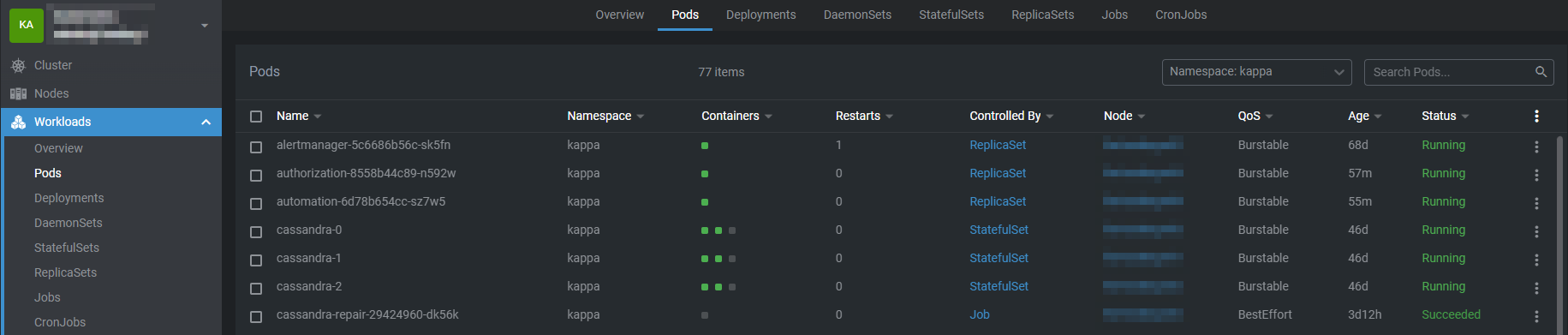
A pod is the smallest and most fundamental deployable unit in Kubernetes. It represents a single instance of an application running in the cluster and acts as a logical wrapper around one or more containers that need to operate together.
A Pod typically contains one container, but in some cases, it may include multiple tightly coupled containers that share the same execution environment. These containers are scheduled together on the same node and are designed to work as a single cohesive unit. Common examples include a primary application container and one or more sidecar containers used for logging, monitoring, or configuration management.
All containers within a pod share:
The same network namespace (single IP address and port space)
Can communicate with each other via localhost
Share storage volumes
Are scheduled on the same node
Share the same lifecycle, meaning they are created, restarted, and terminated together
Pods are ephemeral by nature, meaning they can be created, destroyed, or replaced by Kubernetes at any time. When a Pod fails or needs to be rescheduled, Kubernetes creates a new Pod rather than restarting the existing one. For this reason, Pods are rarely managed directly in production environments. Instead, they are typically created and managed by higher-level controllers such as Deployments, StatefulSets, DaemonSets, or Jobs, which handle scaling, self-healing, and availability.
In summary, Pods provide the execution environment for containers in Kubernetes, defining how containers are grouped, networked, and run together. They are the building blocks upon which all Kubernetes workloads are deployed and managed.
Containers
A container is a lightweight, portable runtime environment that packages an application together with everything it needs to run, including its code, runtime, system libraries, and dependencies. Containers ensure that applications run consistently across different environments, from development through to production.
In Kubernetes, containers are the core unit of execution, but they are not managed in isolation. Kubernetes always runs containers inside Pods, which provide the necessary context for orchestration, networking, and lifecycle management.
Container images
Containers are created from container images, which are immutable, read-only templates defining:
Application code
Runtime environment
Required libraries and dependencies
Default configuration and startup commands
Common image formats include Docker-compatible images stored in container registries. Kubernetes pulls these images onto cluster nodes as needed before starting containers.
Container Runtime
Each Kubernetes node runs a container runtime (such as containerd or CRI-O) responsible for:
Pulling container images
Creating and starting containers
Managing container isolation and resource usage
Kubernetes communicates with the container runtime through the Container Runtime Interface (CRI), abstracting away implementation details.
Container Lifecycle
Containers in Kubernetes follow a defined lifecycle:
Image pull – The container image is retrieved from a registry
Container creation – The runtime creates the container
Startup – The container executes its entrypoint or command
Running – The application runs inside the container
Termination – The container stops when the process exits or is terminated
If a container fails, Kubernetes may restart it depending on the Pod’s restart policy and the controlling workload (e.g., Deployment or Job).
Resource Management
Containers declare resource requests and limits for CPU and memory:
Requests define the minimum resources needed to schedule the container
Limits define the maximum resources the container is allowed to use
Kubernetes uses these values to make scheduling decisions and enforce fair resource usage across the cluster.
Configuration and Environment
Containers can be configured dynamically using:
Environment variables
ConfigMaps for non-sensitive configuration
Secrets for sensitive data such as credentials or tokens
Command and arguments to override default behavior
Health Checks
Kubernetes supports probes to monitor container health:
Liveness probes determine when a container should be restarted
Readiness probes control when a container can receive traffic
Startup probes handle slow-starting applications
Security and Isolation
Containers provide process-level isolation using Linux kernel features such as namespaces and cgroups. Kubernetes enhances container security by supporting:
Security contexts
Read-only filesystems
Non-root execution
Network and pod-level security policies
Containers and Pods Relationship
While containers run the application itself, they rely on Pods to:
Provide networking (IP addresses and ports)
Attach shared storage volumes
Define restart policies and scheduling rules
In practice, you define containers within Pod specifications, and Kubernetes manages them as part of the Pod lifecycle.
In summary, Containers are the core units used to run applications in Kubernetes, packaging application code and dependencies into a lightweight, portable format. Built from immutable images, containers provide consistent behavior across environments and are managed by Kubernetes through Pods and container runtimes. They support resource controls, configuration via environment variables, ConfigMaps, and Secrets, and include health checks to help maintain application reliability.
Pods vs Containers
Pods | Containers | |
|---|---|---|
Purpose | Groups one or more containers | Runs a single application or process |
Kubernetes Management | Smallest unit managed by Kubernetes | Not managed directly |
Networking | Shared IP and port space | Isolated by default |
Storage | Shared volumes across containers | Image-based filesystem |
Lifecycle | Managed by Kubernetes controllers | Controlled by the Pod |
Scaling | Scaled via controllers (e.g., Deployments) | Not scalable alone |
Scheduling | Scheduled onto a node | Not scheduled by Kubernetes |
StatefulSets
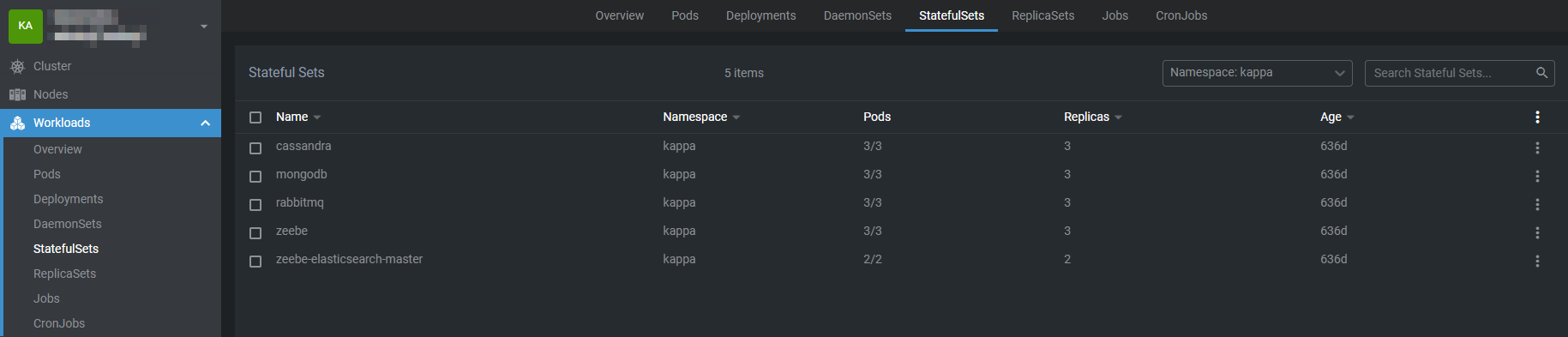
A StatefulSet is a workload resource used to manage applications that need to maintain state and stable identity over time. It is designed for stateful applications such as databases, message queues, or any system where each instance needs to be uniquely identifiable and retain its data even if it is restarted or rescheduled.
Pods created by a StatefulSet are not interchangeable like those in a Deployment. Each pod is assigned a unique, stable name that includes an index, such as app-0 or app-1, and this identity remains the same across restarts or rescheduling. StatefulSets are usually used with a headless Service, which gives each pod a consistent DNS address. This makes it possible for applications to reliably discover and communicate with specific peers, which is especially important for distributed systems and databases that depend on fixed hostnames.
StatefulSets manage storage by creating a dedicated PersistentVolumeClaim for each pod based on a volume template. This ensures that every pod has its own persistent storage that is retained across restarts or node changes. When a pod is recreated, it reconnects to the same volume, so its data is preserved. Even if the pod is deleted, the storage can remain available depending on the volume’s reclaim policy, making StatefulSets suitable for workloads where data durability is essential.
StatefulSets create, update, and terminate pods in a controlled, predictable order rather than all at once. When scaling up, a new pod is started only after the previous one is running and ready, and when scaling down, pods are removed in reverse order. This ordered behavior is important for applications that require a specific startup or shutdown sequence, such as clustered databases where a primary node must be available before replicas or where graceful shutdown is needed to maintain consistency.
Persistent Volumes (PVs)
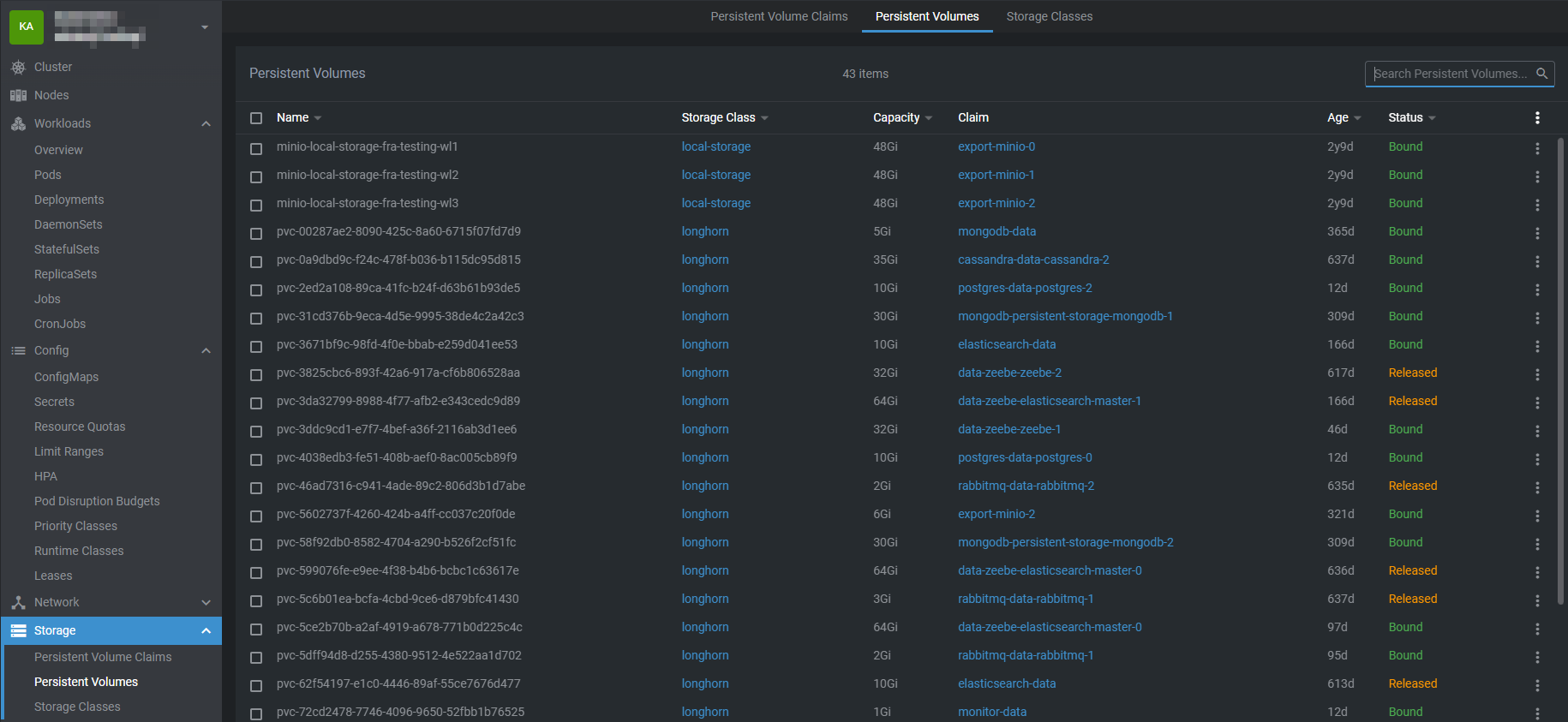
A PersistentVolume (PV) is a piece of storage in the cluster that has been provisioned by an administrator or dynamically created using a StorageClass. Unlike the ephemeral storage provided by a pod’s local filesystem, a PV exists independently of any pod, meaning the data it holds can persist even if the pod that uses it is deleted or restarted. This makes PVs essential for stateful applications like databases, file storage services, or any workload that requires durable data.
A PersistentVolume (PV) has a lifecycle independent of pods. It defines storage details such as capacity, access modes (e.g., single-node or multi-node access), and the underlying storage type, which can be network-attached storage (like NFS, iSCSI, or cloud storage) or local disks. Pods do not interact with PVs directly; instead, they use PersistentVolumeClaims (PVCs) to request storage, and Kubernetes binds the PVC to an appropriate PV that meets the requirements.
The separation of PVs and PVCs provides flexibility and abstraction. Administrators can manage storage resources independently of the workloads using them, while developers simply request the storage they need without worrying about the underlying infrastructure. This also supports dynamic provisioning, where a PVC can automatically create a PV through a configured StorageClass, making it easier to scale storage as applications grow.
Once a PV is bound to a PVC, it can be mounted into a pod like any other volume. The data in the PV remains available across pod restarts or migrations to different nodes, ensuring durability. When a PVC is deleted, the PV’s reclaim policy (Retain, Recycle, or Delete) determines what happens to the underlying storage, giving administrators control over data preservation.
PersistentVolumes provide a reliable and decoupled way to handle storage in Kubernetes, enabling stateful workloads to run reliably in a dynamic cluster environment.
Warning
A PersistentVolume (PV) is the actual storage in your Kubernetes cluster. Deleting it can be dangerous because it contains real data your application depends on.
Data loss - PVs are where your application’s data is actually stored (databases, files, logs, etc.). If you delete a PV, you delete the underlying storage, so all the data is lost permanently. Unlike Pods, which are ephemeral, PVs are meant to be durable.
Impact to PVCs and Pods - PVCs are “claims” that request PVs. If the PV is deleted while PVCs are still bound to it, pods that use that PVC lose their storage access. This can break your applications and/or corrupt data.
Persistent Volume Claims (PVCs)
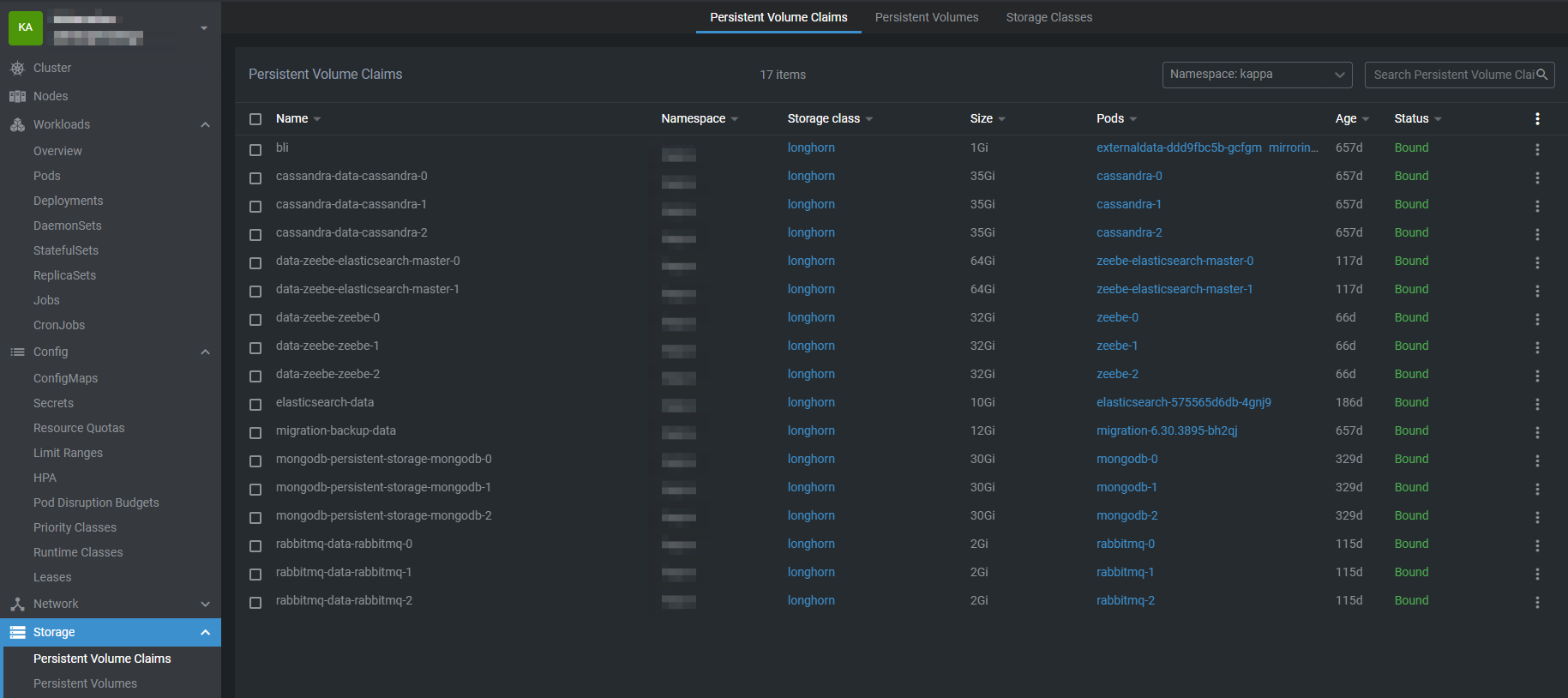
A PersistentVolumeClaim (PVC) is a way for applications running in Kubernetes to request persistent storage without needing to know the details of the underlying storage system. Instead of interacting directly with disks, file systems, or cloud storage services, a PVC allows a pod to declare its storage requirements—such as the amount of storage needed, the access mode, and the desired StorageClass. Kubernetes then uses this claim to locate an existing PersistentVolume that meets the request or to dynamically provision a new one.
Once a PVC is bound to a PV, it provides the pod with stable, durable storage that exists independently of the pod’s lifecycle. This means that data stored using a PVC remains intact even if the pod is restarted, rescheduled, or deleted. By separating storage consumption (PVCs) from storage provisioning (PVs), Kubernetes enables portable, scalable, and reliable stateful applications such as databases, file storage services, and applications that require long-lived data.
PVCs work in the following way:
Pod requests storage via a PVC.
Kubernetes looks for a matching PV (size, access mode, storage class).
If a suitable PV exists, it binds the PVC to the PV.
If no PV exists but dynamic provisioning is enabled, Kubernetes creates a PV automatically.
The pod mounts the PVC as a volume, giving it access to persistent storage.
Dynamic vs Static Provisioning
Static: Admin creates PVs ahead of time; PVCs claim them.
Dynamic: PVC references a StorageClass, and Kubernetes creates the PV automatically.
Dynamic provisioning is very common in cloud-native environments because it scales and removes manual steps.
PersistentVolumes (PV) | PersistentVolumeClaims (PVC) | |
|---|---|---|
Definition | A piece of storage in the cluster (e.g., cloud disk, NFS) | A request for storage by a pod or application |
Created By | Cluster admin or dynamically via StorageClass | User/application developer |
Scope | Cluster-wide | Namespace-scoped |
Purpose | Provides actual storage that can be used by one or more pods | Allows pods to claim storage without needing to know underlying details |
Lifecycle | Independent of pods | Exists as long as pod need it; bound to a pv |
Specifies | Storage capacity, access modes (ReadWriteOnce, ReadOnlyMany, ReadWriteMany), backend type, reclaim policy | Requested storage size, access modes, StorageClass (type of storage to use) |
Binding | Binds to PVC that matches its specifications | Binds to a PV that meets its request; a PVC cannot function without a PV |
Access Modes | Defines how storage can be mounted and accessed | Requests a specific access mode for the pod using it |
Data Persistence | Data persists independently of pods; actual behavior after PVC deletion depends on reclaim policy | Provides pods with persistent storage access; deletion may trigger PV reclaim actions (retain, delete, or recycle) |
Usage | Supplies durable storage for stateful workloads (databases, file storage, logs, etc.) | Enables pods to consume persistent storage in a portable, infrastructure-agnostic way |
Consequence if deleted | PV deletion can permanently delete the underlying storage. If reclaim policy = delete, your data is lost | Deleting a PVC may unbind the PV; depending on the PV’s reclaim policy, data may persist (Retain) or be deleted (Delete), potentially causing data loss or disruption for pods using it |
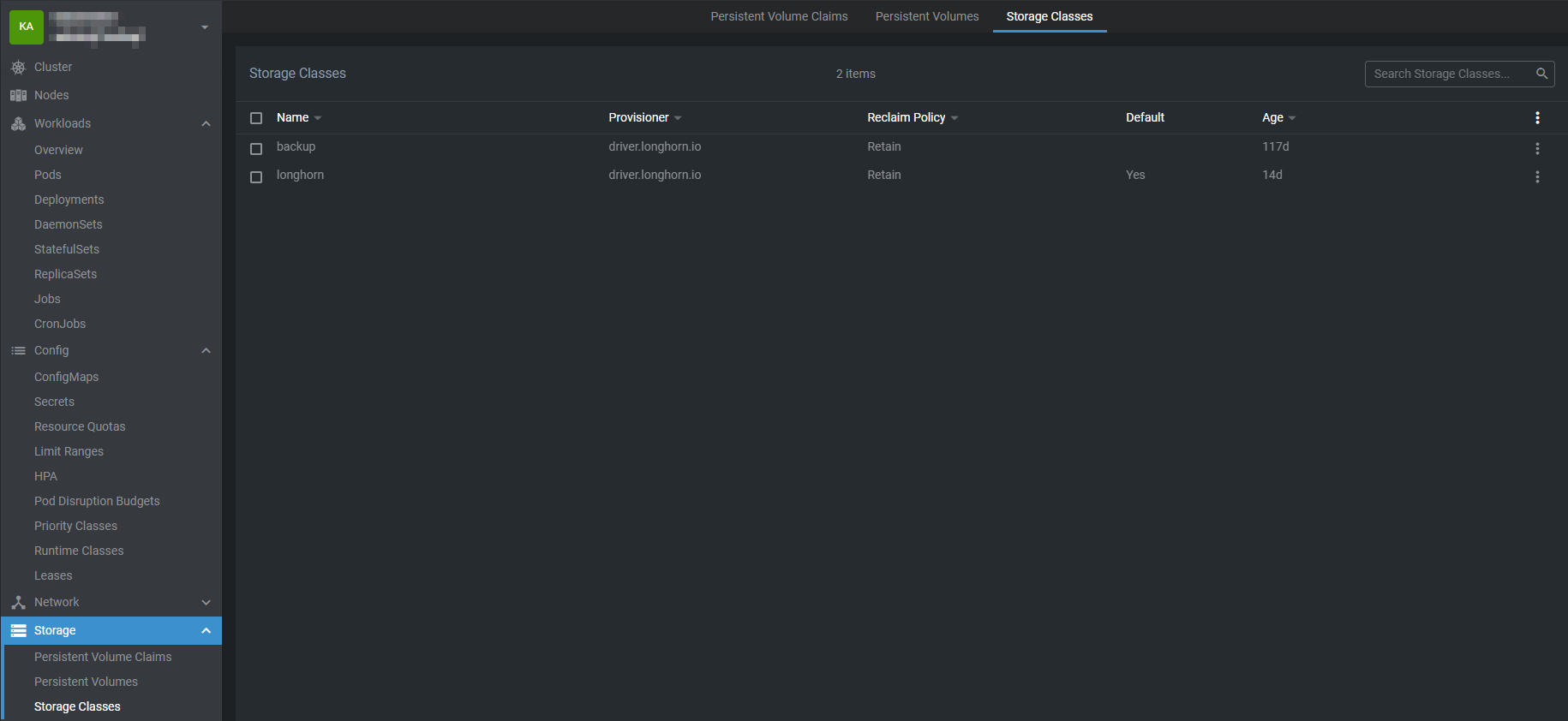
Storage Classes
A StorageClass (SC) in Kubernetes is a way to define how storage should be provided to applications in the cluster. It acts as a template or blueprint that Kubernetes uses to automatically create storage volumes when an application requests them.
A StorageClass defines the following for the storage it provisions:
Storage Type – For example, SSD, HDD, network-attached storage, or cloud disks.
Performance Characteristics – Such as speed, throughput, or reliability.
Reclaim Policy – Determines what happens to the storage when it is no longer in use:
Retain – Keep the data for future use.
Delete – Automatically remove the storage and its data.
Volume Binding Mode – Specifies when storage is assigned to a node.
Expandable Volumes – Allows the storage to grow in size if needed.
A StorageClass works together with PersistentVolumeClaims (PVCs) and Pods in a defined flow:
StorageClass is defined
A cluster administrator creates a StorageClass describing the storage type, performance, and behavior.
Application requests storage
An application creates a PersistentVolumeClaim (PVC) and specifies the StorageClass it wants to use.
Kubernetes provisions storage
Kubernetes reads the StorageClass and automatically creates a PersistentVolume (PV) that matches the request.
Storage is bound and used
The PV is bound to the PVC.
The Pod uses the PVC to access the storage.
This process is called dynamic provisioning, and it ensures that applications can get storage on-demand. At no point does the application need to know where the storage comes from or how it is created.
In summary, a StorageClass is a core component of Kubernetes storage management. It defines how storage is created, what type of storage is used, and how that storage behaves over time. By automating storage provisioning and enforcing consistent policies, StorageClasses make Kubernetes environments easier to manage, more scalable, and safer for client workloads.