Drainage Area
Objective
The goal of the user task is to compute the drainage area around each well and in turn use it to compute the pore volume, average reservoir pressure and productivity index around the well.
The user task initializes a Rubis seed document with wells and petrophysics from KA well properties, runs a multiwell numerical simulation that computes the drainage area around each well and also the above mentioned results, and output them as well properties. In addition a Rubis document that captures drainage area at different times are also output under the user task.
Input
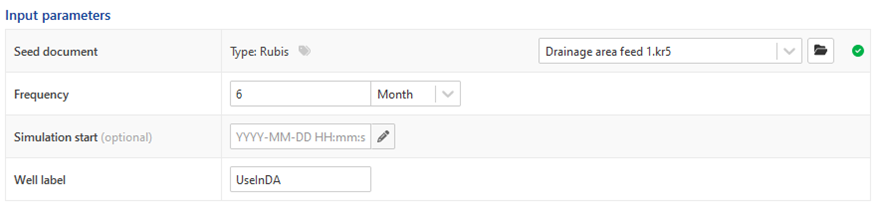
Seed document - A Rubis document containing PVT, contour and faults. This document can live under a field or a well.
Frequency - The minimum time duration between two simulations. For example, if frequency is 6 months, a new simulation will be run only if there is at least 6 months of new data since the end time of the previous simulation. Also, the end time of current simulation will be set at 6 months from the end time of the previous simulation.
Simulation start (optional) - Optional start date for simulation. If absent, the start of the first rate target among all wells will be used as simulation start date.
Well label - A freely editable string value. All wells in the field that carry this label will be injected into the Rubis document and included in the simulation
Outputs
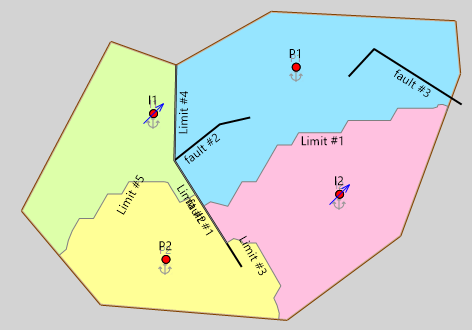
A Rubis file with multiple runs containing drainage areas.
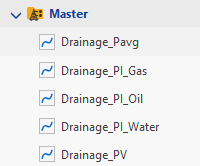
Pore volume, average pressure and productivity index output as well properties in the master container of each well.
Requirements
In order to initialize the Rubis file for simulation the user task makes use of the following information defined in KA as well info or well properties. Some are mandatory and others are optional as indicated in the table below.
Property | Source | Mandatory? – (Default) |
Name | Well name in field hierarchy | Yes |
UWI | Well attributes | Yes |
Wellhead coordinates X & Y | WellHead_X & WellHead_Y | No |
IsHorizontal | ModelDescription_Well type (Horizontal or Vertical) | No - (Vertical) |
Well radius | TestParameter_WellboreRadius | No - (0.09144m) |
Perforation length | ModelWellbore_ContributingLength | Yes for horizontal. No for vertical |
Skin | MainResults_Skin | No - (0) |
Permeability | MainResults_Permeability | Yes |
Porosity | MainResults_Porosity | Yes |
Well and perforations
Vertical wellswill pass through the entire reservoir. If “perforation_length” is None the entire well will be perforated, otherwise only the lowerportion of the well will be perforated to the specified perforation length
Horizontal wells will be placed at the middle of the reservoir top-bottom. The trajectory will increase along the x axis by a length of “perforation_length”.
Reservoir petrophysics
Permeability and porosity are loaded as data sets with at (x,y) positions corresponding to respective wellhead locations.
Rate targets
The production phase in KA that would loaded into Rubis as rate target for the well is automatically determined by the task using the production type field in the well. This field is mandatory.

Production Type | Target phase |
|---|---|
Gas injector / Condensate producer / Gas producer | Gas |
Oil producer | Oil |
Water injector | Water |
Drainage Area user task definition
Procedure
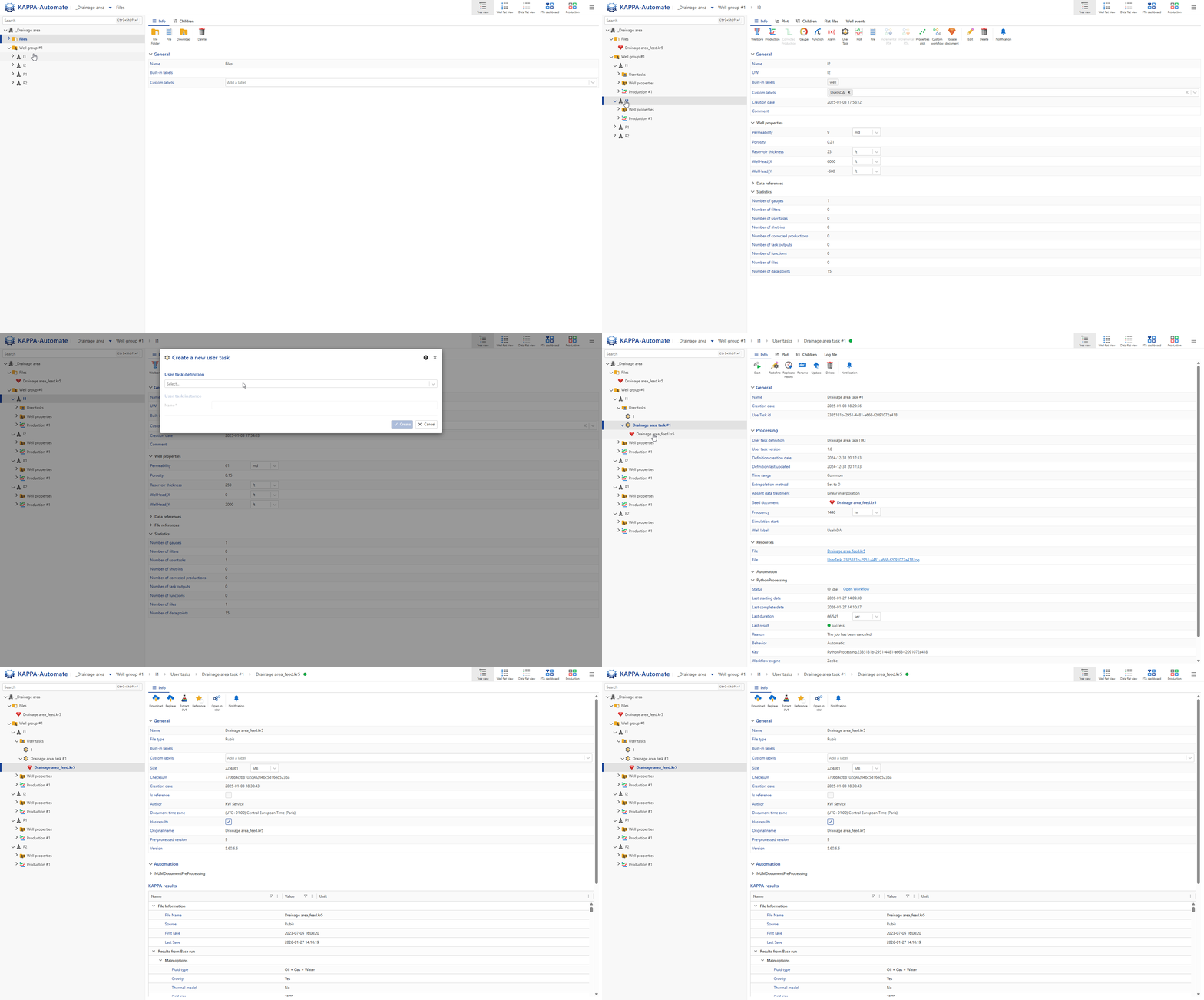
At the well level, click on User Task ,
 , from the top options.
In the user tasks list, select Drainage Area.
Assign another name to the user task, if required.
Select the seed document (must be at the field level).
Input the frequency, which defines the minimum duration between simulations.
Set the simulation start date; if absent, the start of the first rate target among all wells is used as the simulation start date.
Add an input label; all wells in the field carrying this label will be injected into the Rubis document and included in the simulation.
Click Create.
All steps are shown in the .gif below.