Merge Time Series
Objectives
The objective of the user task is to merge multiple time series into a single one.
Input
Data type – type of the time-series data to be merged, P or BHP.
Δt – the parameter is used to define the tolerance in the recorded time stamp of a data point. If the time difference between points in the two time-series is less than value specified, the task considers them at one timestamp.
Number of inputs – number of time series to merge.
Input # – time series to merge; the first time series is considered as the reference one, if there are multiple values at the same timestamp, the task takes the value from the first input.
Output
Merged time series – merged dataset.
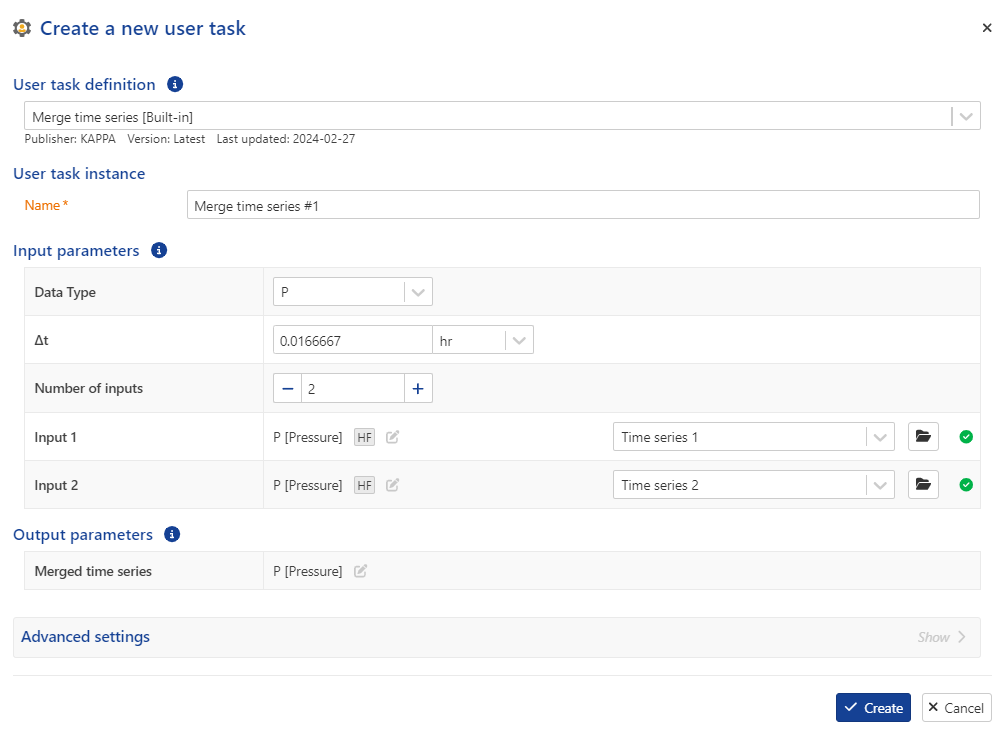 |
User task dialog
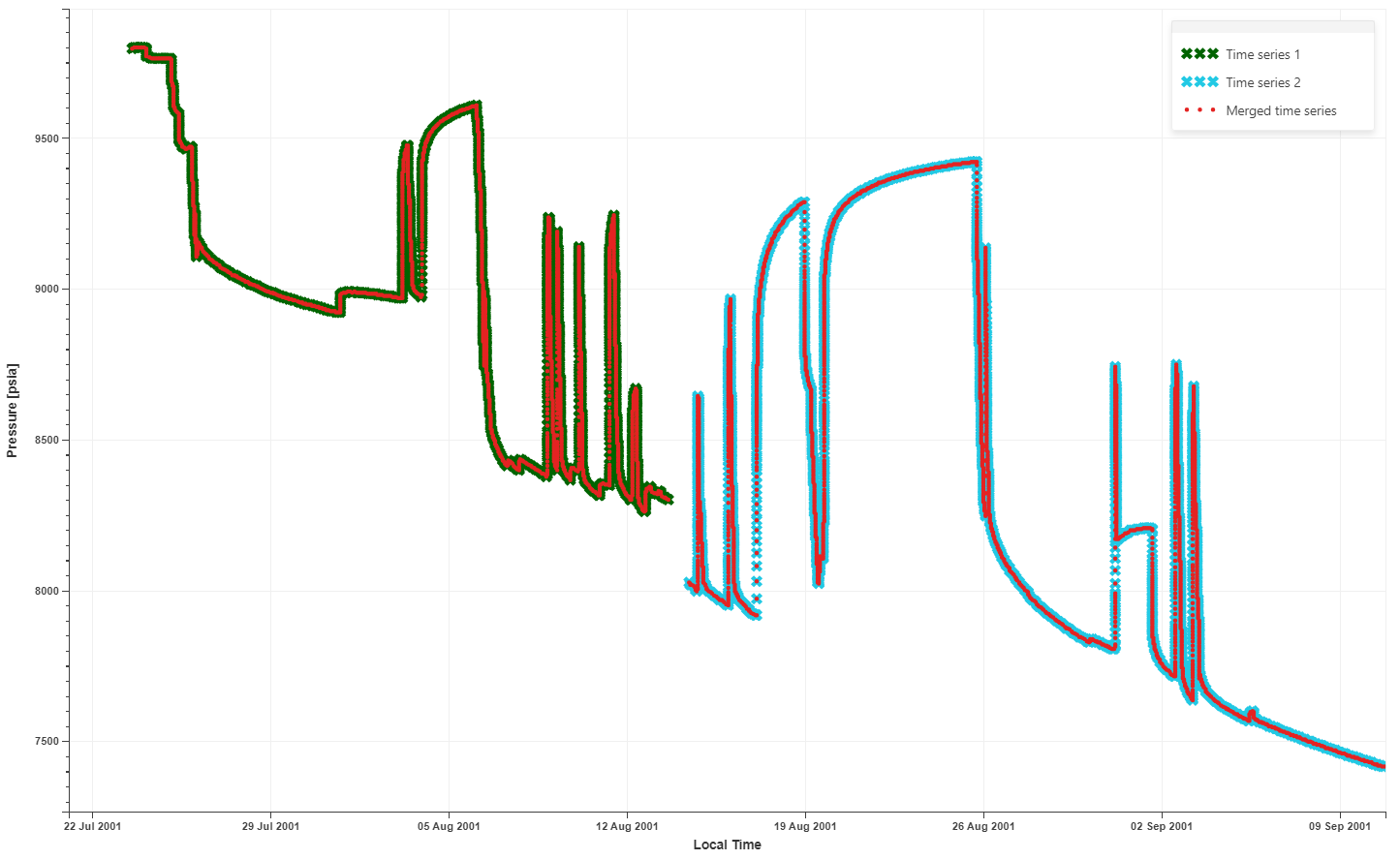 |
Input and merged time series
Merge Time Series user task definition
Procedure
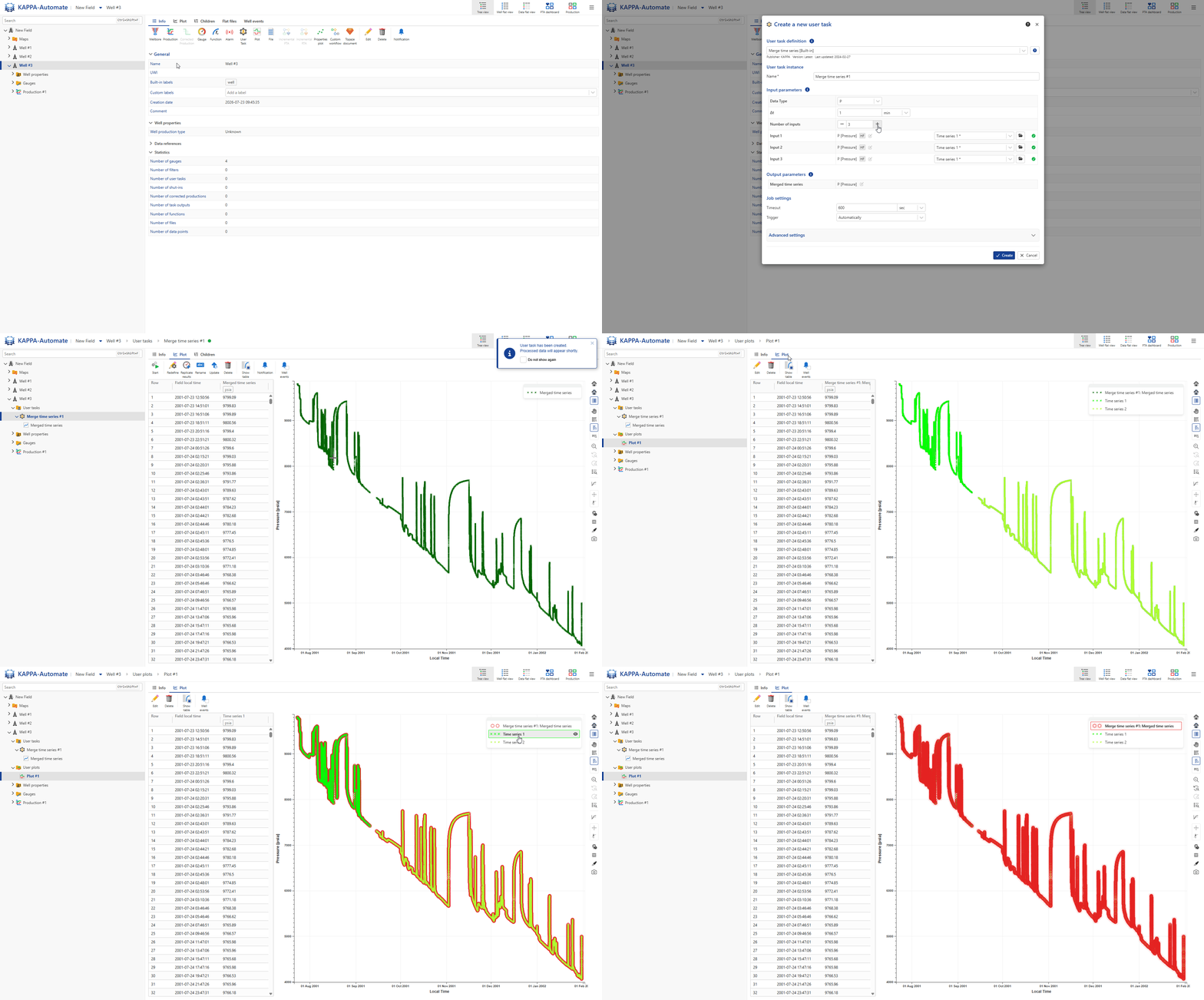
At the well level, click on User Task ,
 , from the top options.
In the user tasks list, select Merge Time Series.
Assign another name to the user task, if required.
Select the pressure data type.
Define the Δt .
Define the number of inputs and the input channels.
Define the output data types and labels, if required.
Click Create.
Plot the resulting channel pressure together with the original pressure channels on the same plot.
All steps are shown in the .gif below.