Creating a Notification Instance
To create a notification instance:
Go to PDG Mode and open the relevant field.
Select the objects under which to create the instance.
To create a notification instance in the toolbar at the top click on notification,
 .
.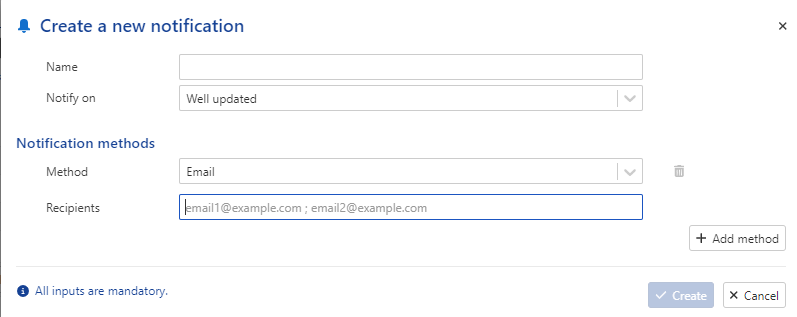
Give this instance a Name.
Select the appropriate definition.
Select the notification plugin from the dropdown list (Email, Teams...)
Optional. Add email address.
Click on Create.
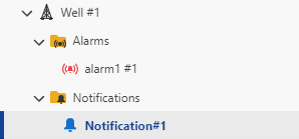
A new node appears in the field hierarchy under the well:
 |