Restarting iPTA
Restarting an iPTA may be necessary when the model changes or when a new boundary is detected, for example. Restarting allows the workflow to regenerate analyses from a selected point using the current configuration.
An iPTA workflow must exist.
Select the iPTA workflow node in the field hierarchy.
Under the Info tab, click on Restart,
 , among the options at the top.
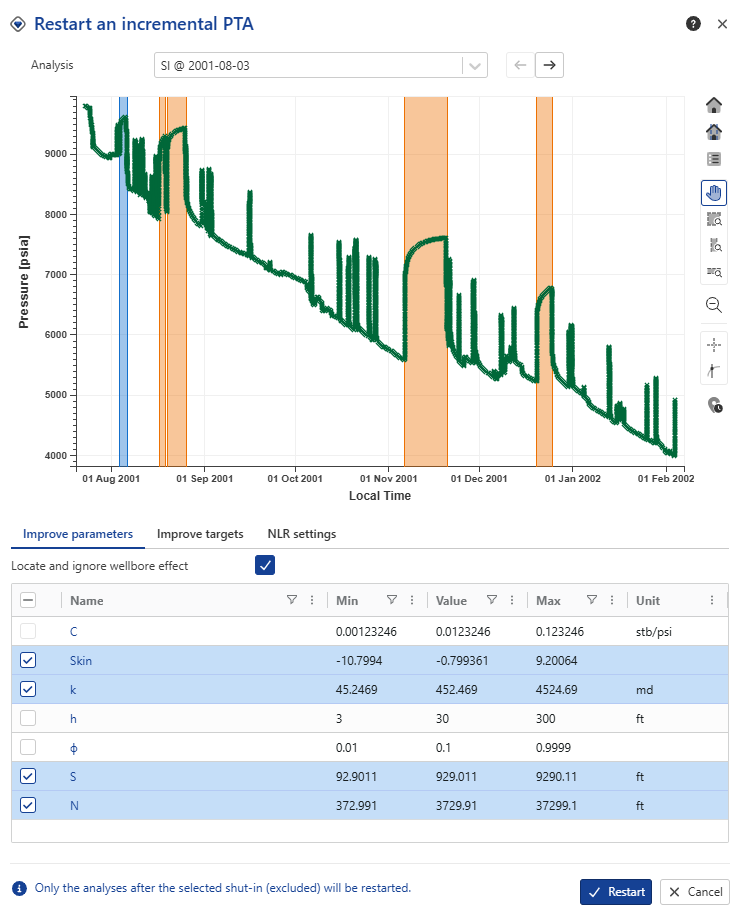
The following dialog will be offered:
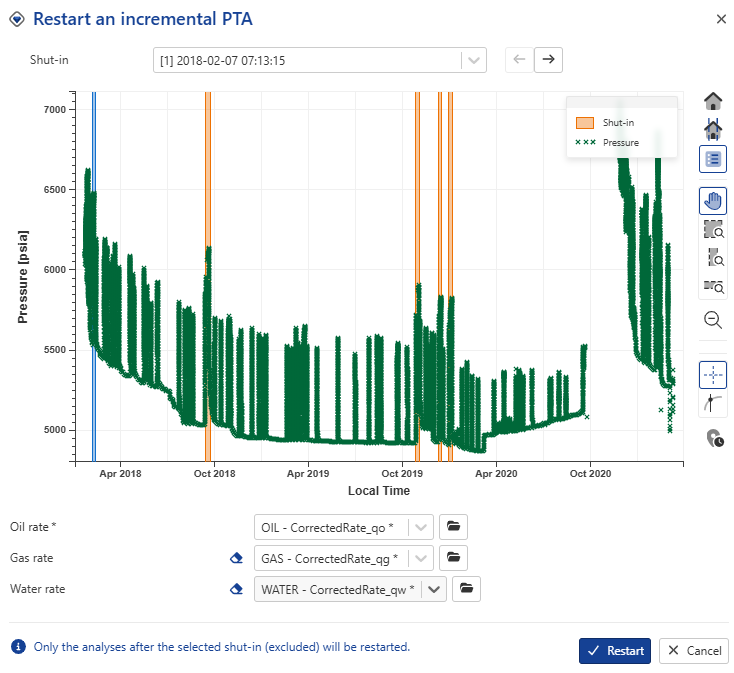
Select the date from which to restart the iPTA.
Note
iPTA (re)processing will start from the next shut-in.
Optional. Select the rates inputs.
Click in Restart.
Note
Restarting an iPTA deletes all generated analyses after the selected restart point and recreates them using the current workflow configuration. Earlier analyses remain unchanged.
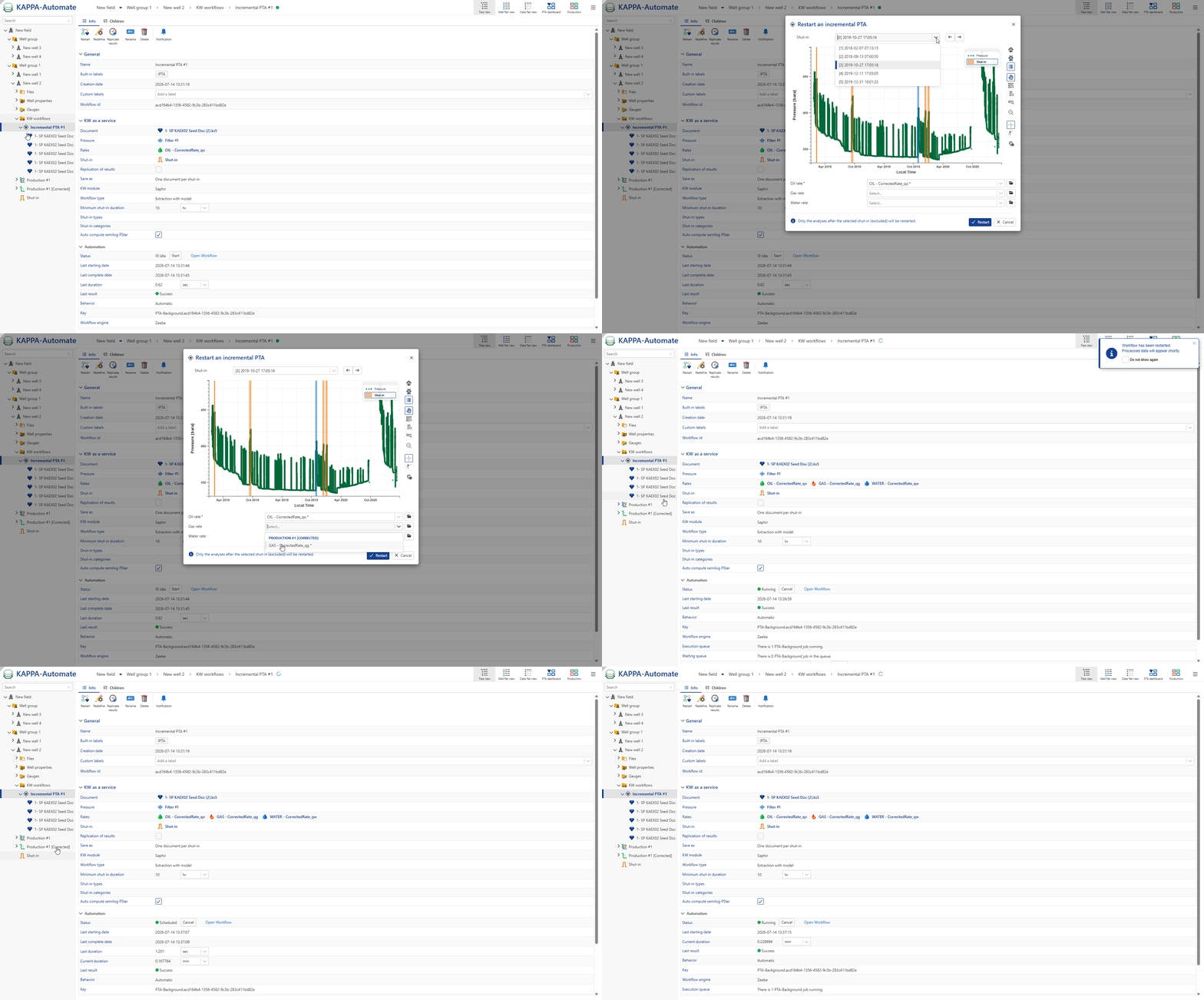
All steps are shown in the .gif below.
Redefining iPTA
It is possible to redefine an iPTA and redefine multiple parametrs. To do so:
Select the iPTA workflow in field hierarchy.
Click on Redefine in the toolbas at the top.
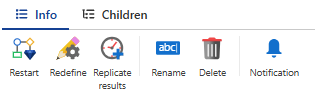
Modify the desired inputs. When redefining an iPTA workflow, the user can adjust most configuration parameters. The table below lists all parameters and indicates whether they can be changed.
Table 3. Parameters that can be redefined during iPTA RedefinitionParameter
Can be redefined
Name
No
PTA document
No
Workflow type
No
Save strategy
No
Pressure channel
Yes
Rate channels
Yes
Update permeability
Yes
Auto-compute semilog PStar
Yes
Replicate results to Master
Yes
PVT reference pressure
Yes
Shut-in requirement
Yes
Imporove parametrs, targets, Fast model and NLR settings
Yes
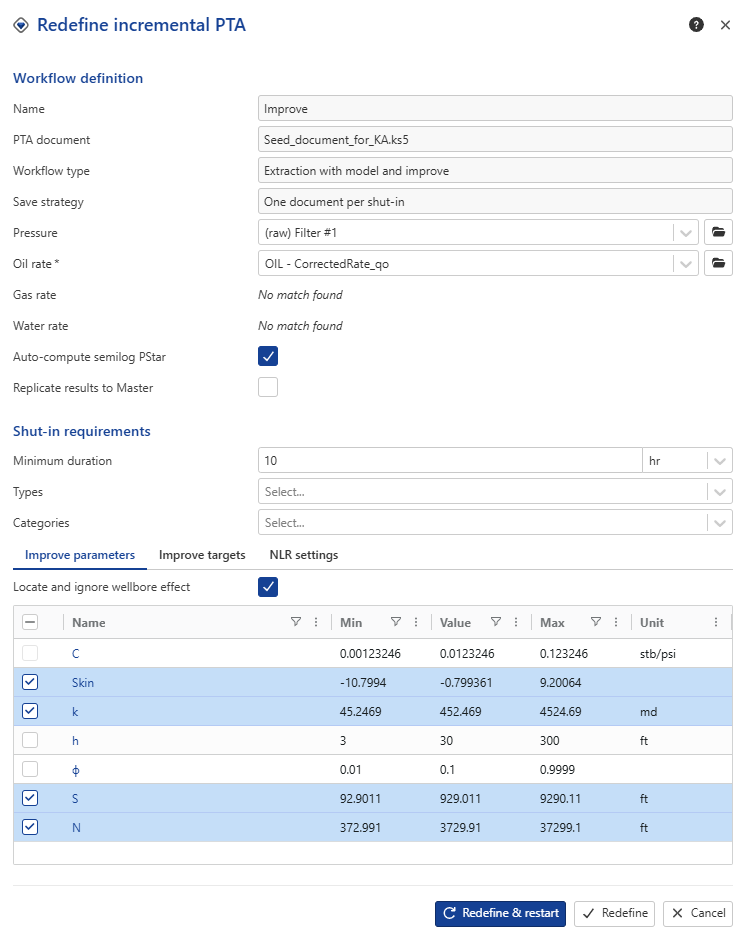
Choose one of the following actions:
Redefine: applies the updated parameters only to upcoming shut‑ins.
This action ensures that future iPTA calculations reflect the new settings, while previously processed shut‑ins remain unchanged.
Redefine and Restart: applies the updated parameters to past results as well.
This action reprocesses earlier shut‑ins using the new configuration.
When selected, an additional dialog appears requesting the shut‑in from which the changes should begin to be applied.
All steps are shown in the .gif below.