Result Extraction into Well Properties
Analysis results can be extracted manually from the documents stored under a well and saved under either the Master well properties container or a separate properties container, the main use case being to track the evolution of parameters with time. Well properties results can be plotted or used in further processes or computations.
Extraction of results can be configured as desired from the XML file contained in the K-W archives (see Well Properties and Customizing Well Properties Catalog for more details).
Select the KW document under a well in the field hierarchy.
Under the Info or Plot tab, click on Extract Results,
 .
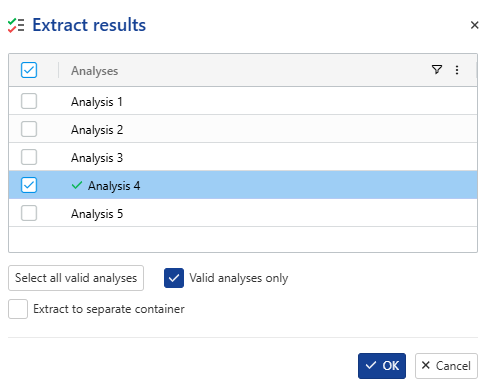
.Select the analysis(es) from which to extract the results.
Note
To extract results only from analyses flagged as valid, tick the Valid analyses only option.
Check Extract to separate container to extract in a folder different from the Master one.
Note
The name of the new container will be inherited from the name of the file used for the results extraction.
Note
If Master container has properties and option Extract to separate container is not selected, the properties in the container will be updated with the new values, the old values will be kept.
Select the folder under in the field hierarchy.
Under the Info tab, click on Extract Results,
 .
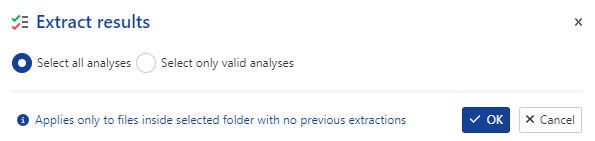
.Select the strategy to adopt for results extraction from each file:
Extraction Status
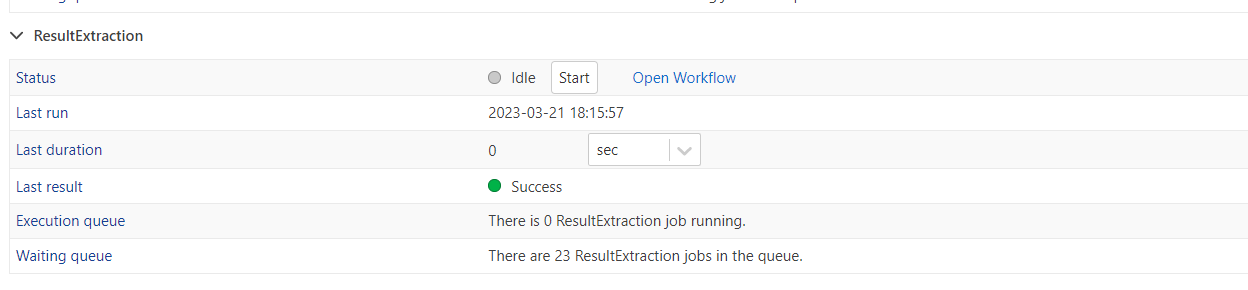
The extraction status can be checked under the Info tab, under the Automation -> ResultExtraction section:
 |
Note
The Result Extraction section only appears once results have been extracted. This section will not appear for documents where results have not been extracted.
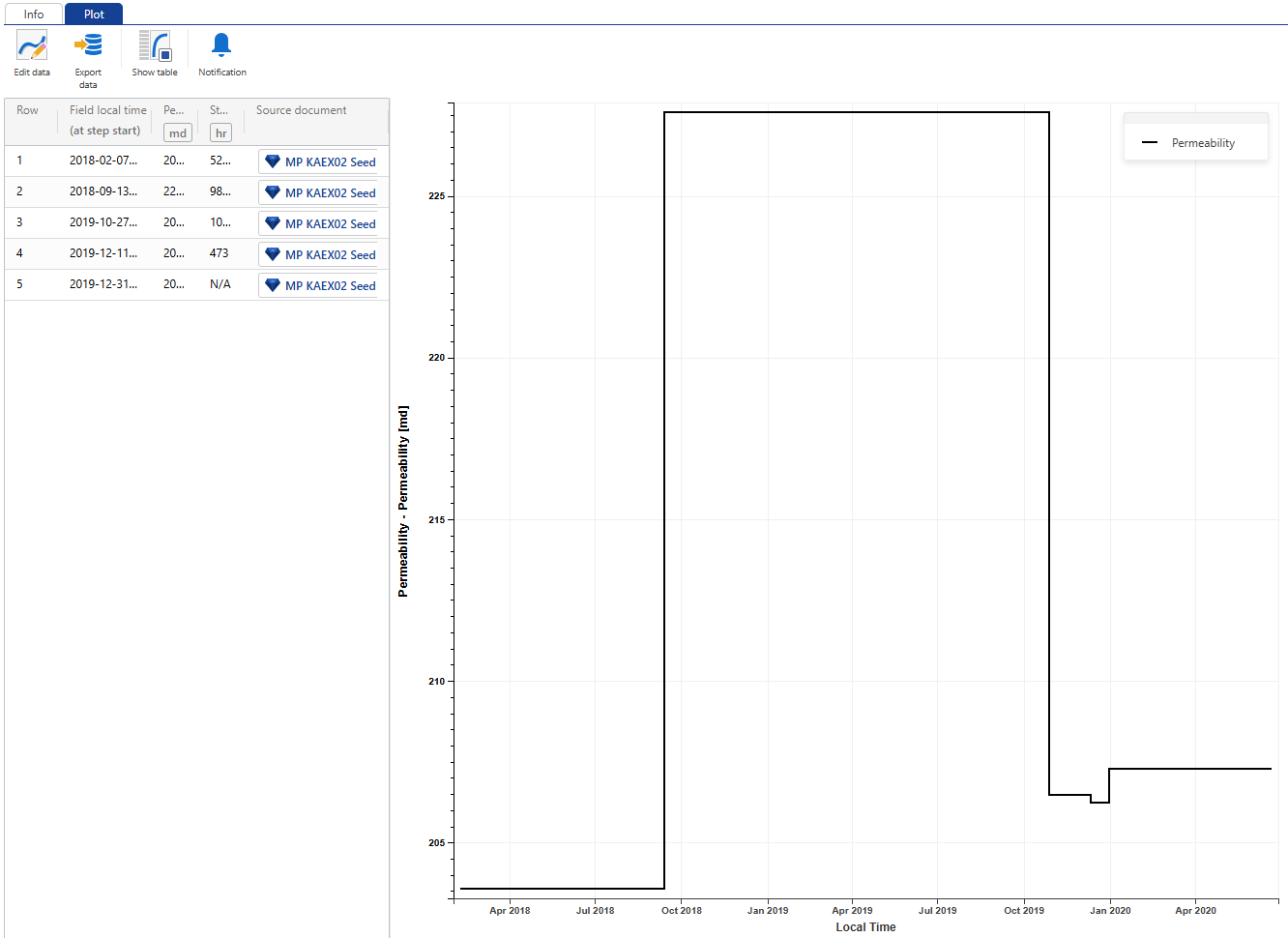
The source of a document is now displayed in the well property plot when the table view is enabled, and it is clickable.
 |