Simplify
Objectives
The objective of the user task is to simplify rate data and reduce the number of steps in a gauge. The task reuses the simplification algorithm of the corrected production procedure.
Input
Data type – type of the rate data to simplify.
Step data – rate data to be simplified.
Simplify method – Simplifies the data if the difference between neighboring rate steps is less than a certain threshold rate value (AbsoluteDeltaY) or a fraction/% (RelativeDeltaY); if two consecutive steps are evolving less than the value specified in ΔY field, the rates are merged honoring the cumulative value.
ΔY – threshold value used by the simplify method.
Output
Simplified data – simplified rate data.
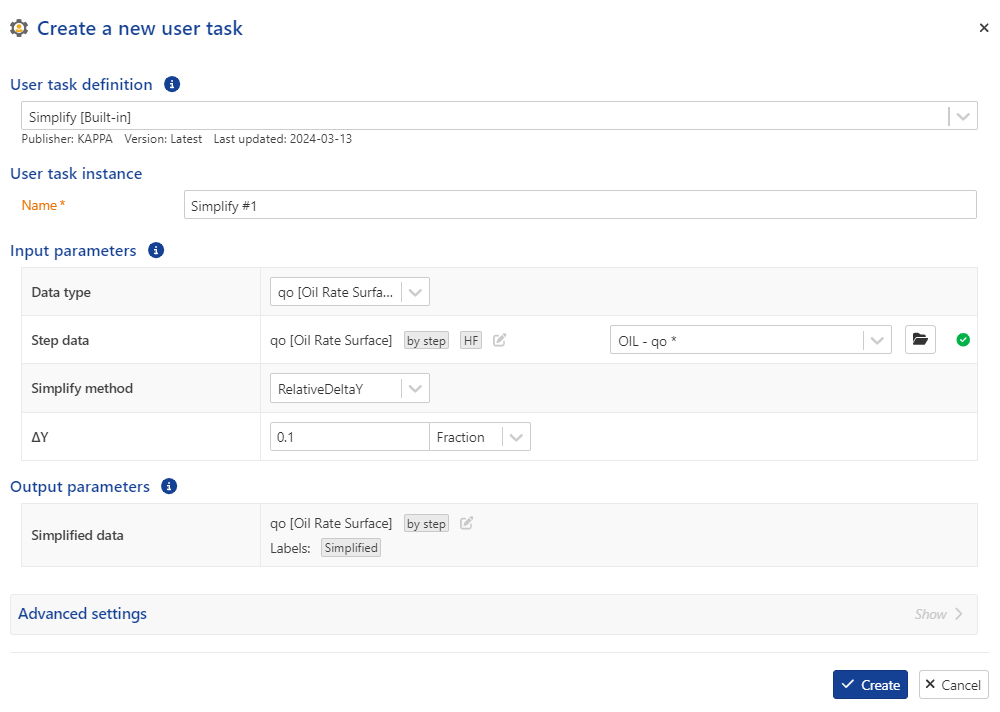 |
User task dialog
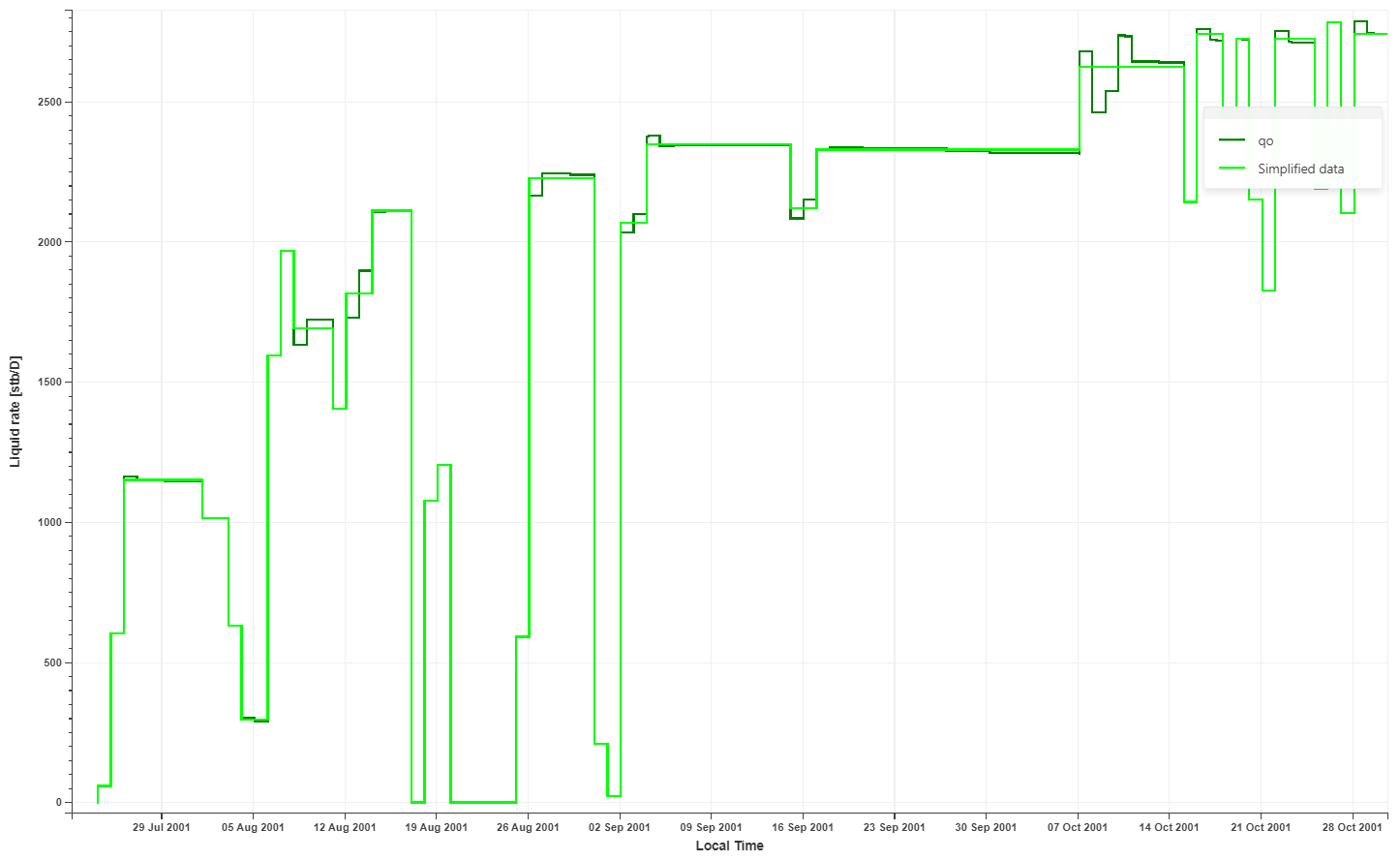 |
Input and output rates
Simplify user task definition
Procedure
At the well level, click on User Task ,
 , from the top options.
In the user tasks list, select Simplfy.
Assign another name to the user task, if required.
Select the data channel to be simplified.
Select the simplification method.
Define the ΔY threshold.
Define the output data types and labels, if required.
Click Create.
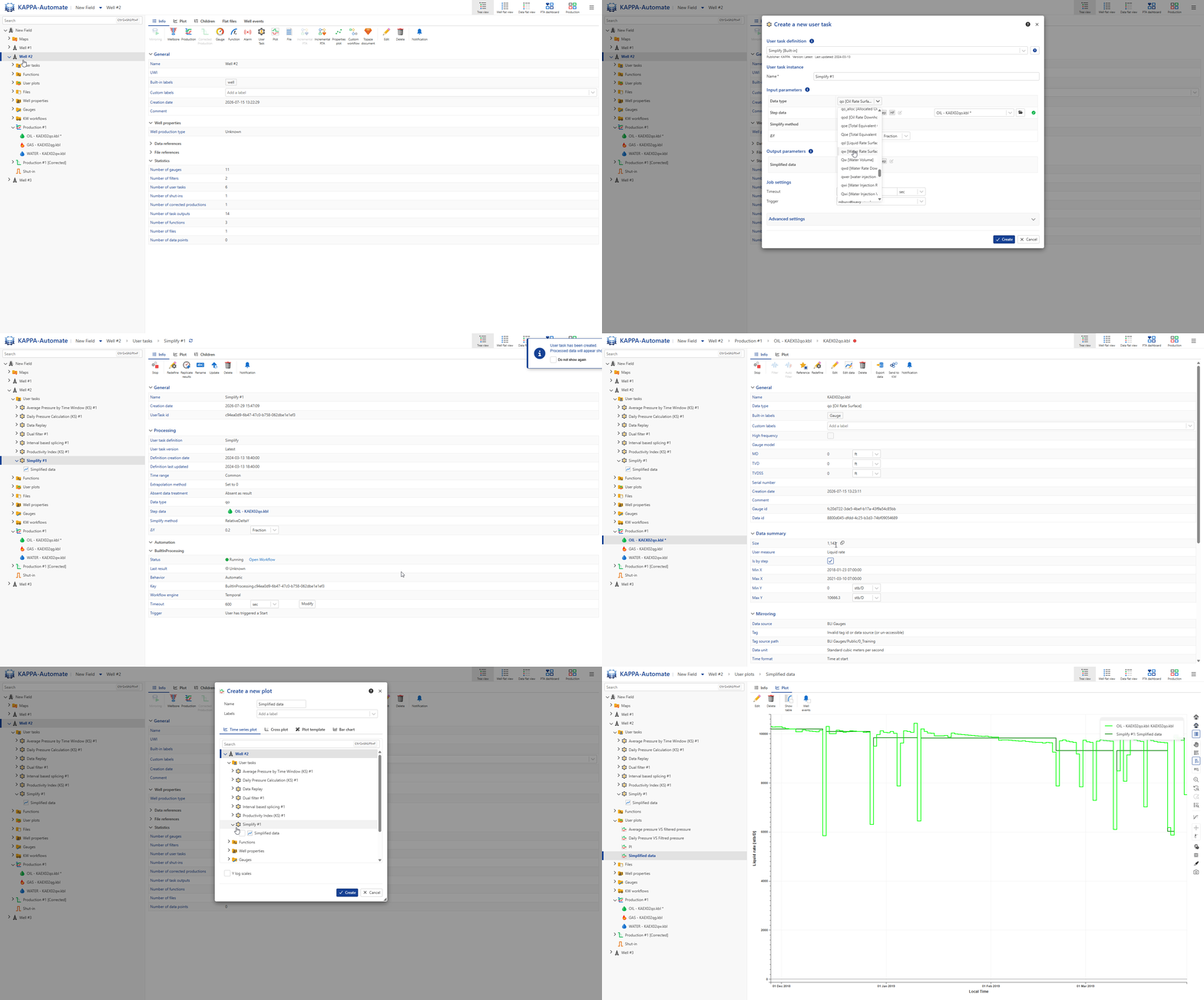
All steps are shown in the .gif below.