Interval Based Splicing
Objectives
The objective of the user task is to create a data channel combining two datasets of the same data type where one data set is used in shut-in intervals and the other outside shut-in intervals. The task is generic - it allows working with any data types. As an example, the task can be used to combine a filtered pressure channel optimized for analysis in Saphir to capture all transients and filter data with coarse sampling, used in production periods. The output channel contains considerably reduced number of points, yet all the required information is preserved.
Input
Data type – type of the data to combine; the selection allows to reduce the number of suggested channels in the dropdown lists for the task parameters below.
Data in shut-ins – dataset to be used inside shut-in intervals.
Data outside shut-ins – dataset to be used outside shut-in intervals.
Interval definition – the shut-in dataset that is used for the splicing.
Output
Spliced gauge – gauge combined from the two datasets.
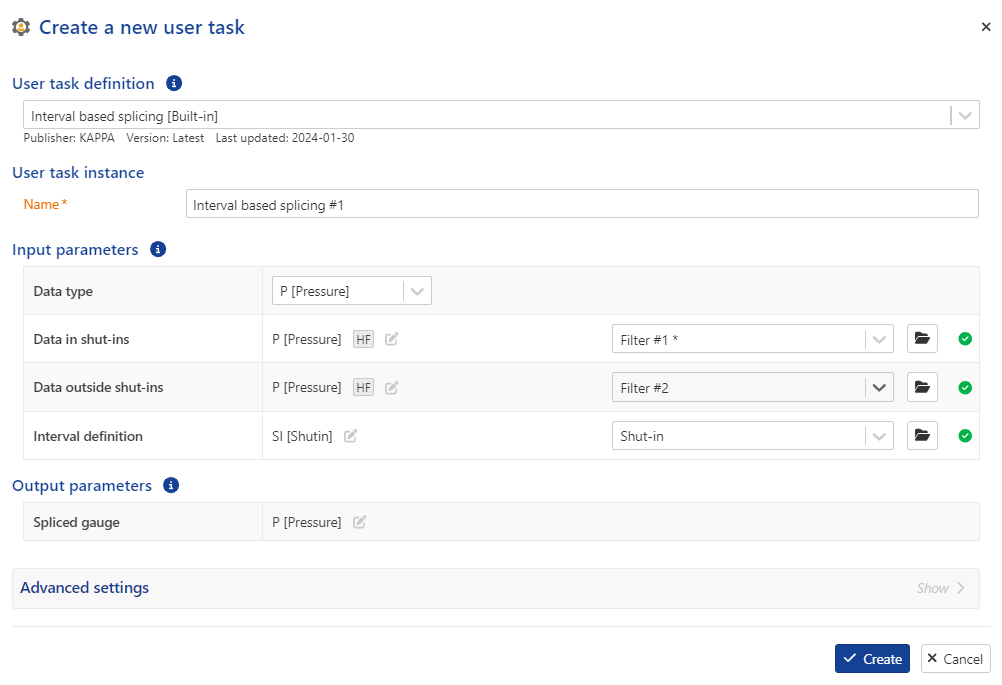 |
User task dialog
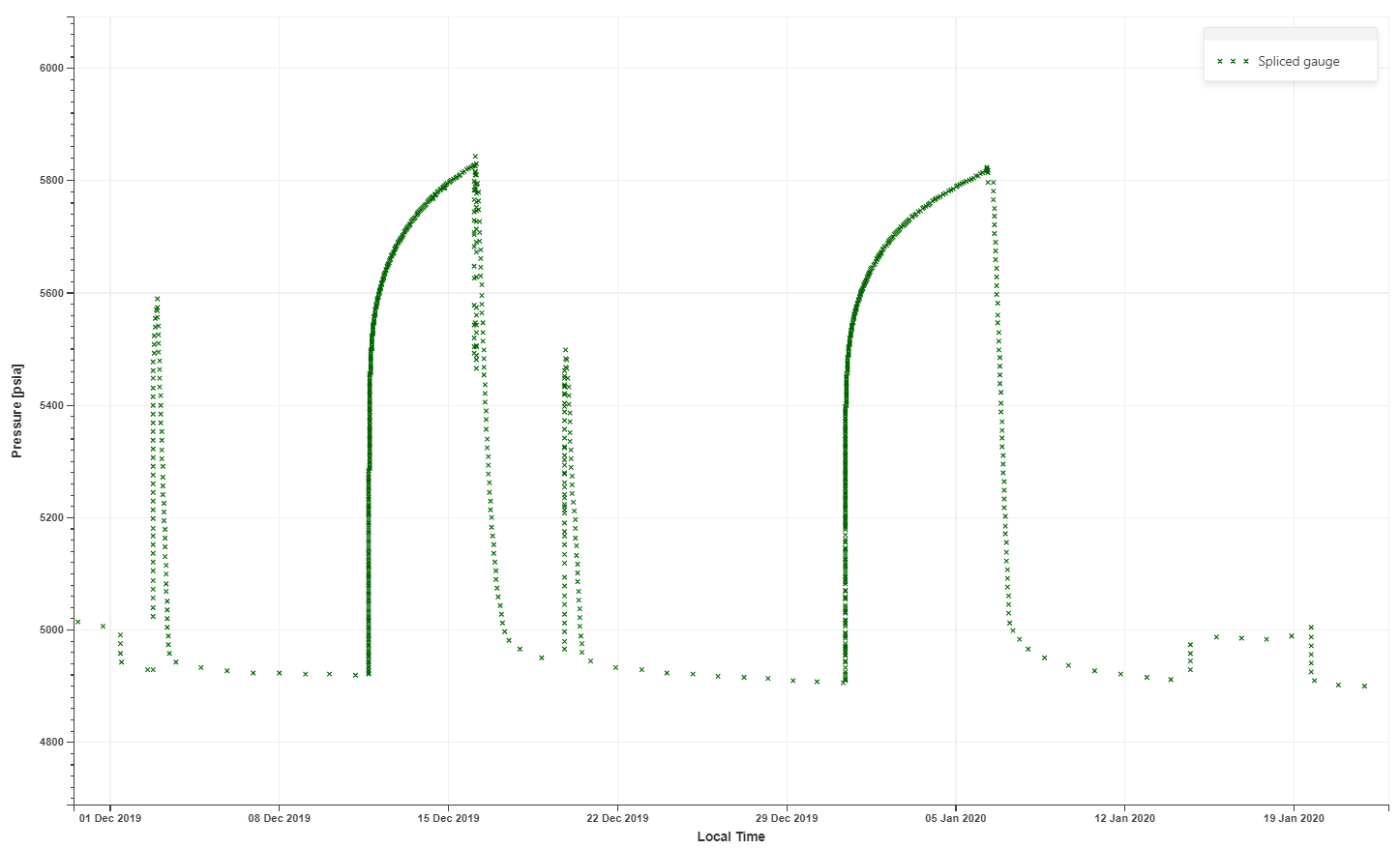 |
Resulting gauge
Interval Based Splicing user task definition
Procedure
At the well level, click on User Task ,
 , from the top options.
In the user tasks list, select Interval Based Splicing.
Assign another name to the user task, if required.
Select the pressure data type.
Select the data in shut-ins (which will be used inside shut-in intervals).
Select the data outside shut-ins (which will be used outside shut-in intervals).
Select the interval definition (which will be used for the splicing).
Define the output data types and labels, if required.
Click Create.
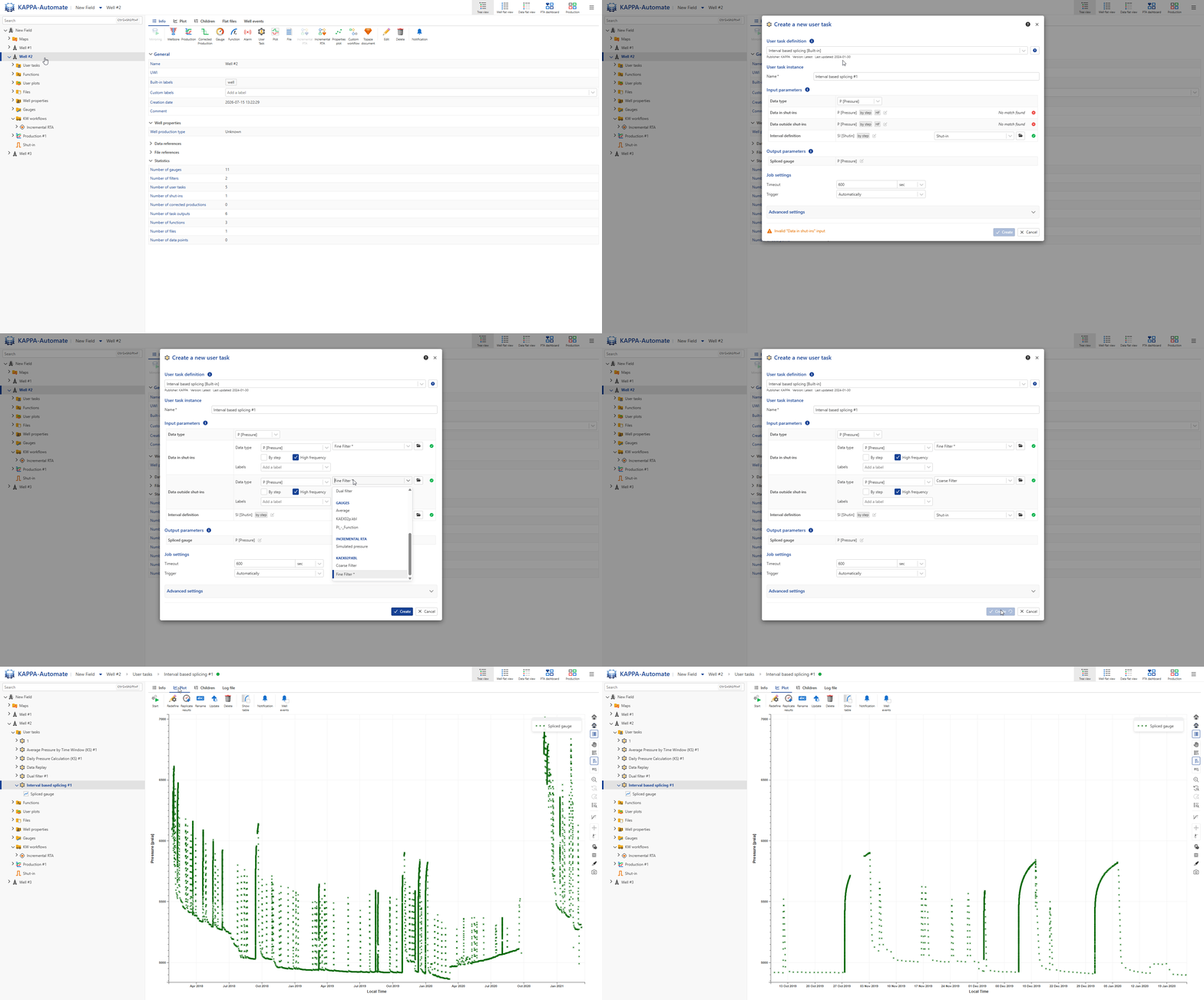
All steps are shown in the .gif below.