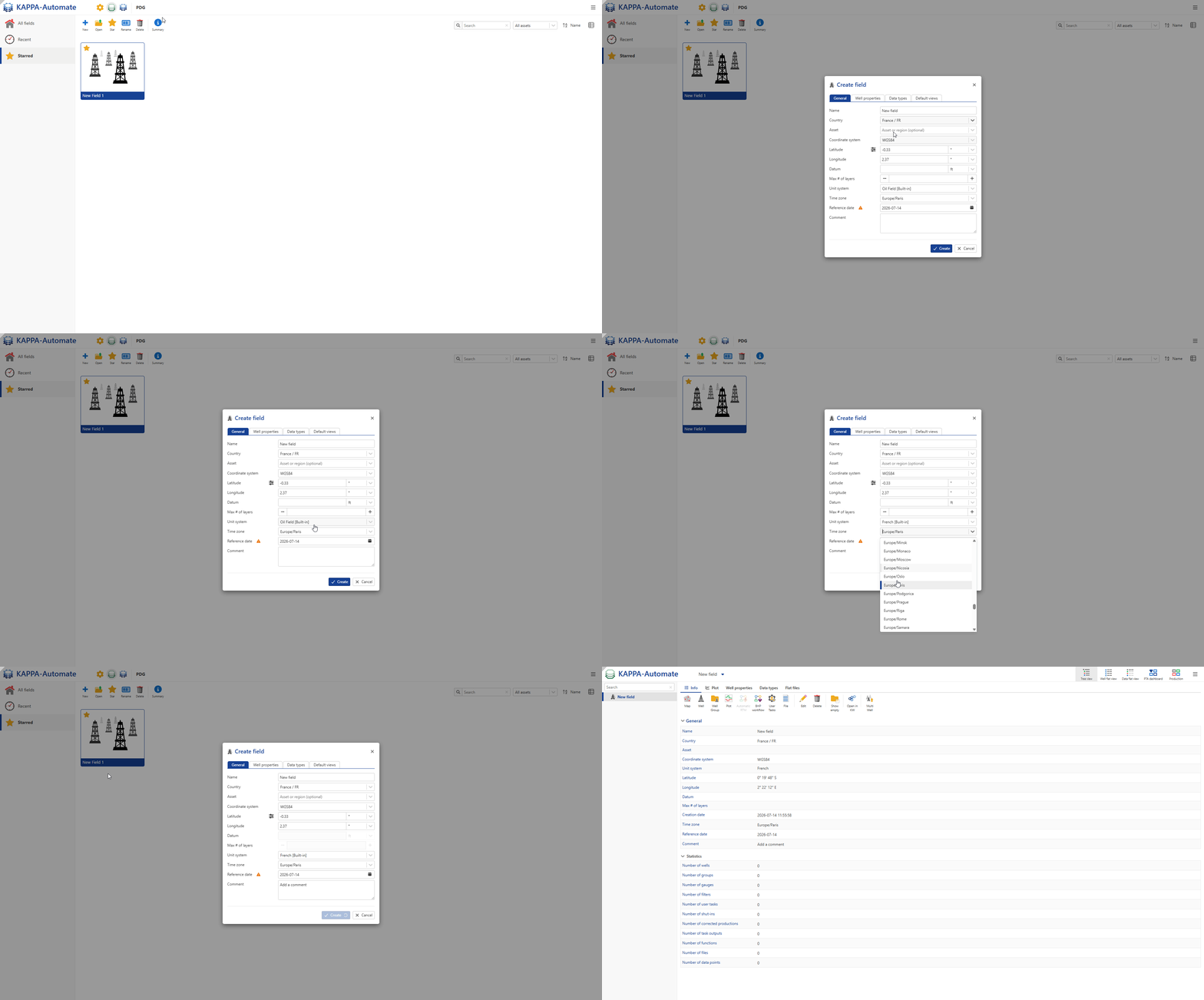
Creating a New Field
The highest-level object in the K-A hierarchy is a Field. A field can in turn contain wells, which can possibly be organized in well groups.
To create a Field:
Connect to K-A from an internet browser using a web address provided by your IT support.
Click on New
 .
.In the General Tab, key in the name of the field, Location (Country) and Time zone, as shown below:
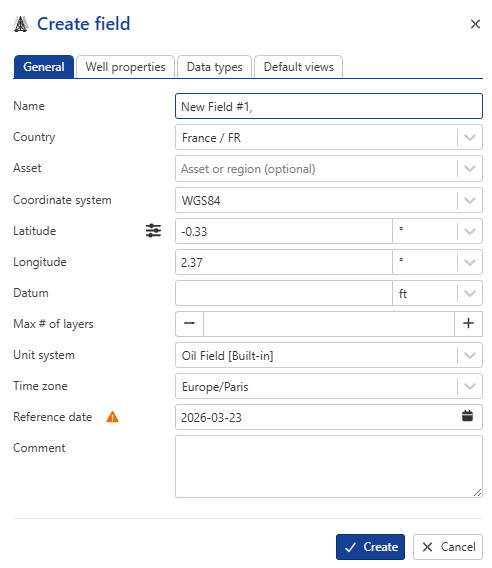
If Georeferencing is required, select the Coordinate System from the dropdown and enter the reference coordinates - Longitude/Latitude in the respective fields.
If required, modify the Unit System. By default, Oil Field is selected.
Optional. In the Comment section, information may be entered.
All steps are shown in the .gif below.